Stephen Amanor Sackey
03 — Software · The store

Four instruments.
One desk.

Apps I built for my own Sundays and sessions — a rehearsal studio for choirs, a stem instrument for the stage, an endless pad machine, and the producer’s reference desk.

The lineup

Pick your instrument

Each one exists because a real Sunday or a real session needed it. I am the user before the developer.

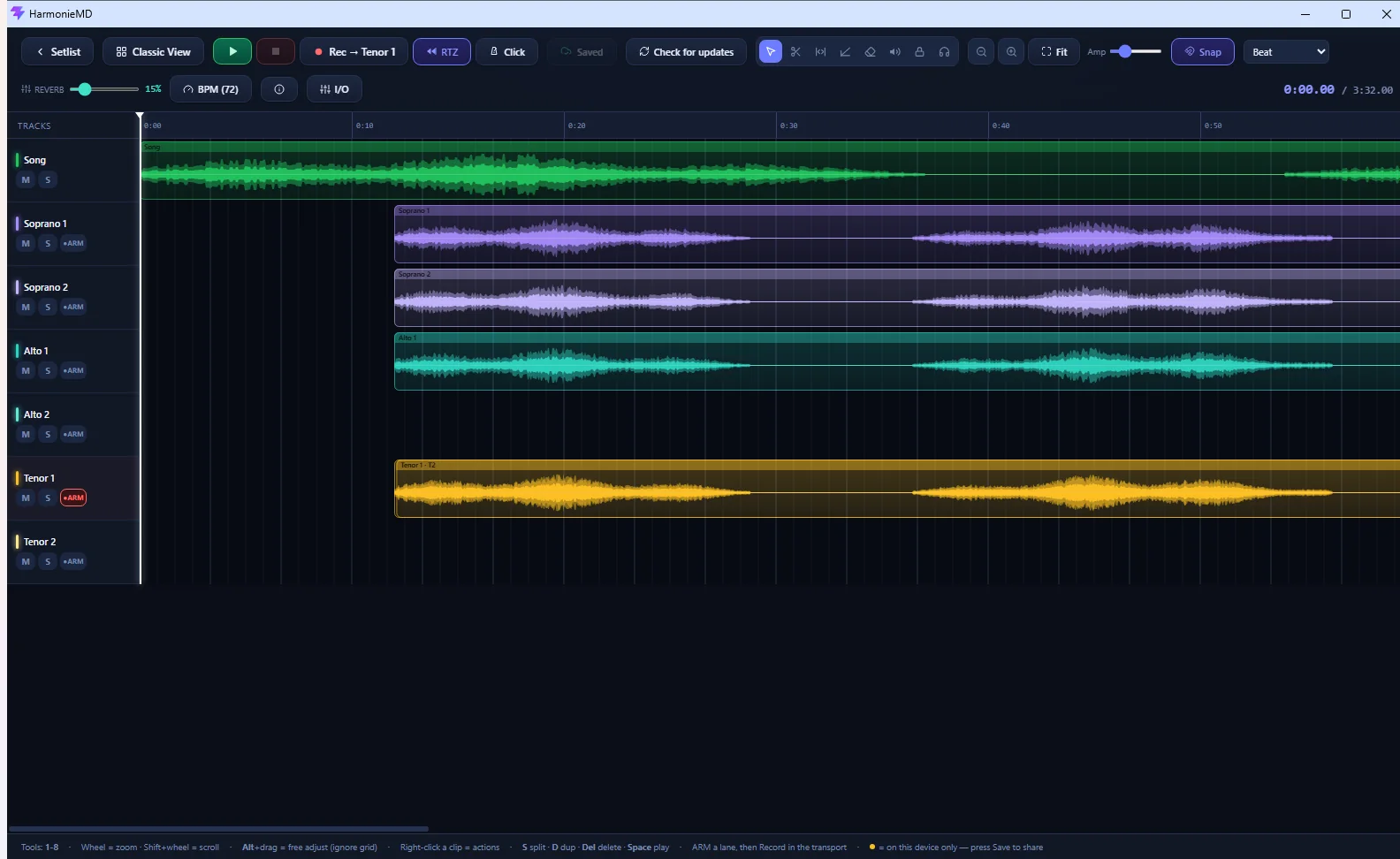
harmoniemd application interface HarmonieMDSoprano · Alto · Tenor · Song

01 · Rehearsal studio

Walk in knowing your part

A rehearsal and multi-track recording studio built for worship teams and choirs. The Music Director records or uploads a song with every vocal harmony part; each singer opens it at home, solos their own line, slows it down, and loops the bridge until it locks.

It speaks choir natively — not tracks 1–8 but Soprano, Alto, Tenor, each with two lanes. Choir Mode is a four-fader practice tool a volunteer learns in ten seconds; MD Mode is a genuine multi-track editor with take comping underneath.

  • Per-part solo & faders
  • Slow down without pitch change
  • Measured round-trip latency
  • “Mark practiced” visibility
  • Local-first — works offline
  • Explore: share arrangements
Join early access
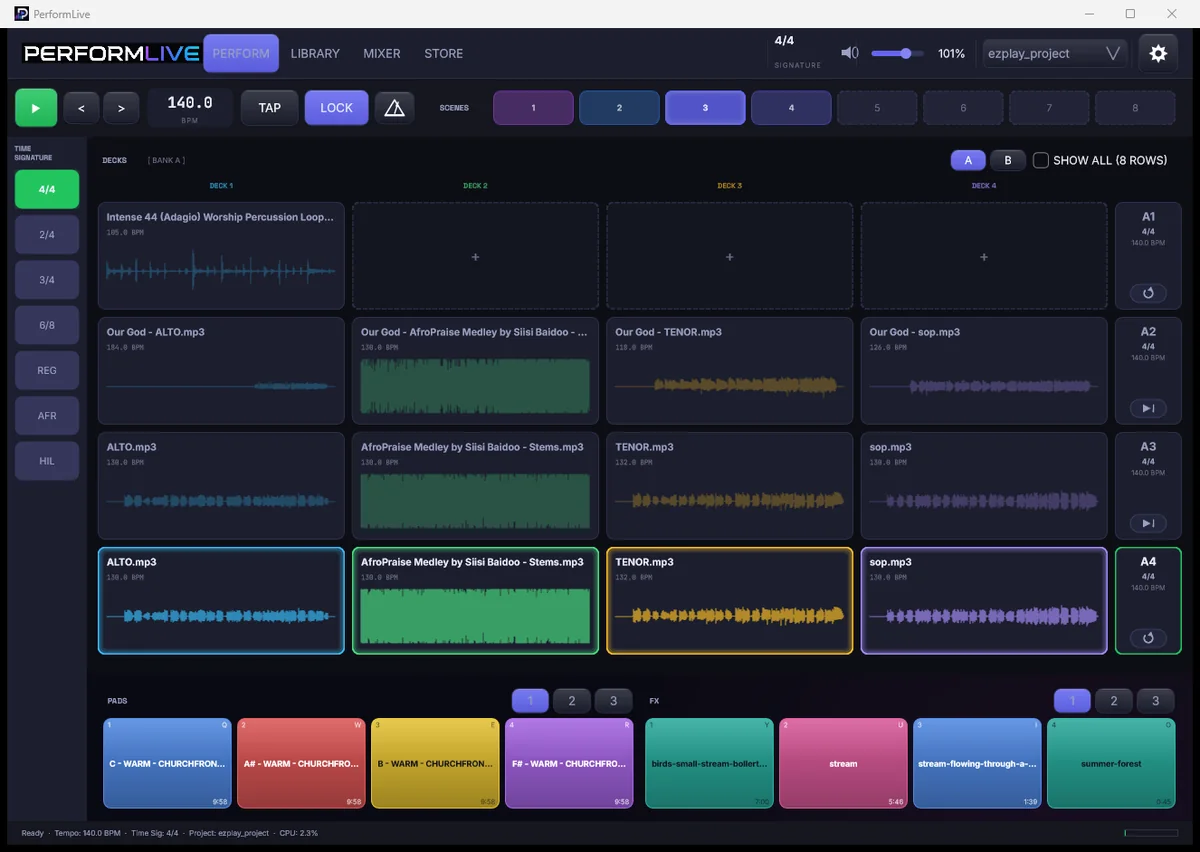
performlive application interface PerformLive4 decks · stems · scenes

02 · Live performance

Play the stems, not the bounce

A stem player and loop performance instrument for the stage. Load your songs’ stems — drums, bass, keys, vocal, pads — onto a grid of decks, then trigger, mute, layer, and switch in real time. Drop the drums for a breakdown. Hold a pad under a prayer. Jump the set order without fumbling.

Your audio is never touched — no auto-warp, no normalising; the mix your producer built is what the room hears. And it’s built touch-first, so a volunteer can run a service after fifteen minutes.

  • Per-stem mute & layers
  • Bar-quantised switching
  • Scene recall in one tap
  • MIDI Learn everywhere
  • Untouched-audio principle
  • Touch-first targets
Follow the build
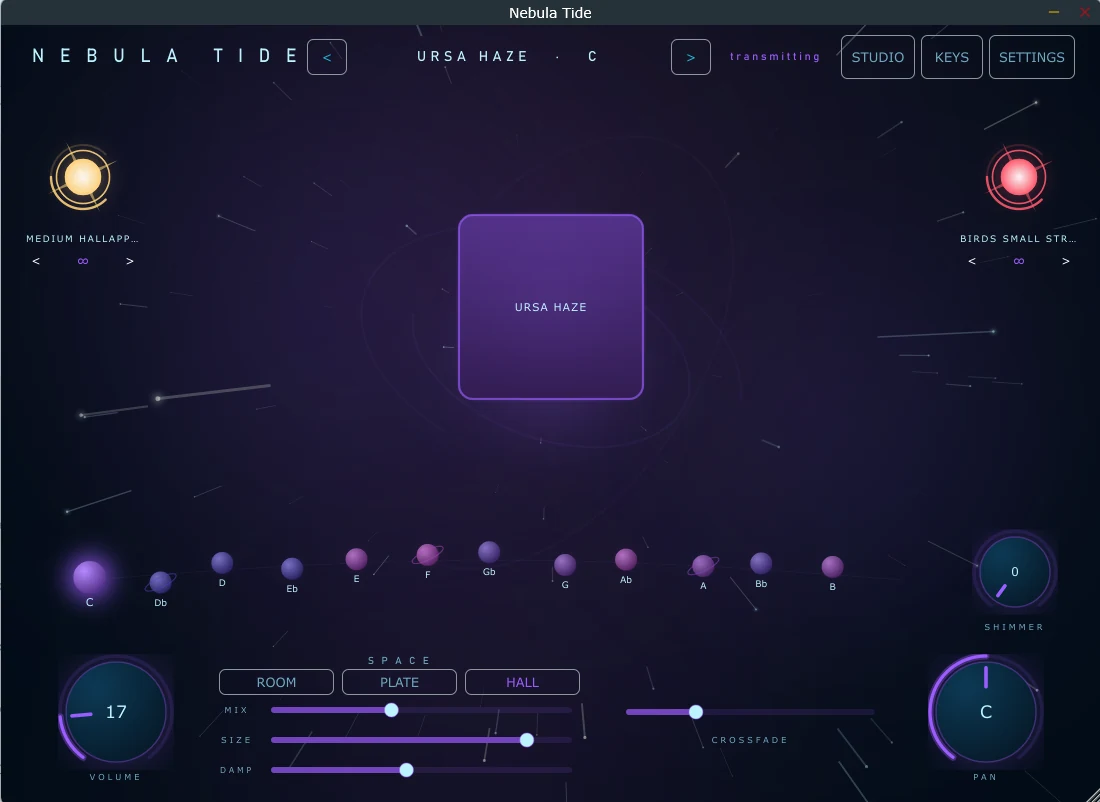
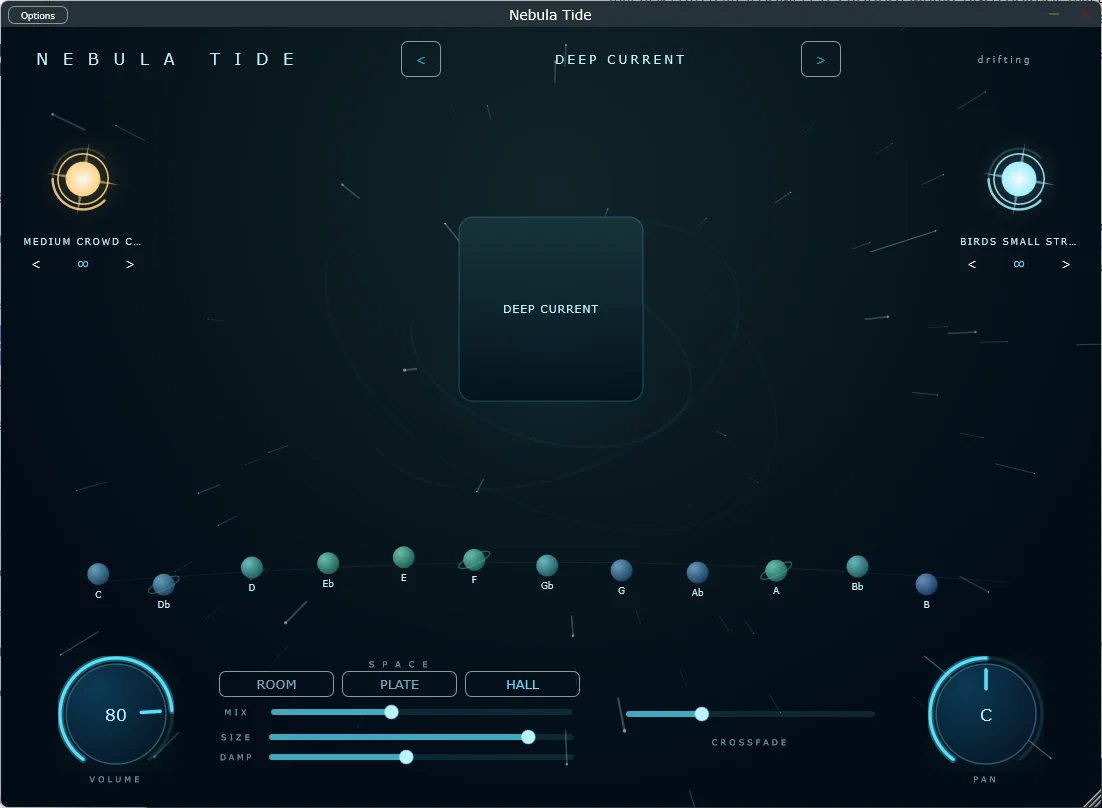
nebulatide application interface Nebula Tide12 keys · zero pitch-shifting

03 · Ambient instrument

An ocean of sound, in every key

Endless, seamless drone pads inside an interface that’s alive. Every preset is a real recording captured in all twelve keys — never pitch-shifted — so E♭ sounds as intentional as C. Keys orbit as floating planets; tap one and the pad crossfades into a new tonal world.

Two stars flank the stage — FX and textures like rain, wind, and swells — and Room, Plate, and Hall reverbs shape the space. Runs standalone on Windows or as a VST3 in your DAW, and the whole interface re-colors itself to match the sound.

  • Seamless infinite looping
  • 12 real recordings per preset
  • FX & texture layers
  • Room / Plate / Hall
  • Standalone + VST3
  • Preset packs, drop-in
Request the beta
PulseRoom Delay Calculator at 140 BPM — the eight essential note values PulseRoomDelay · Reverb · EQ · Comp

04 · Producer toolkit

Every mixing answer. One tempo.

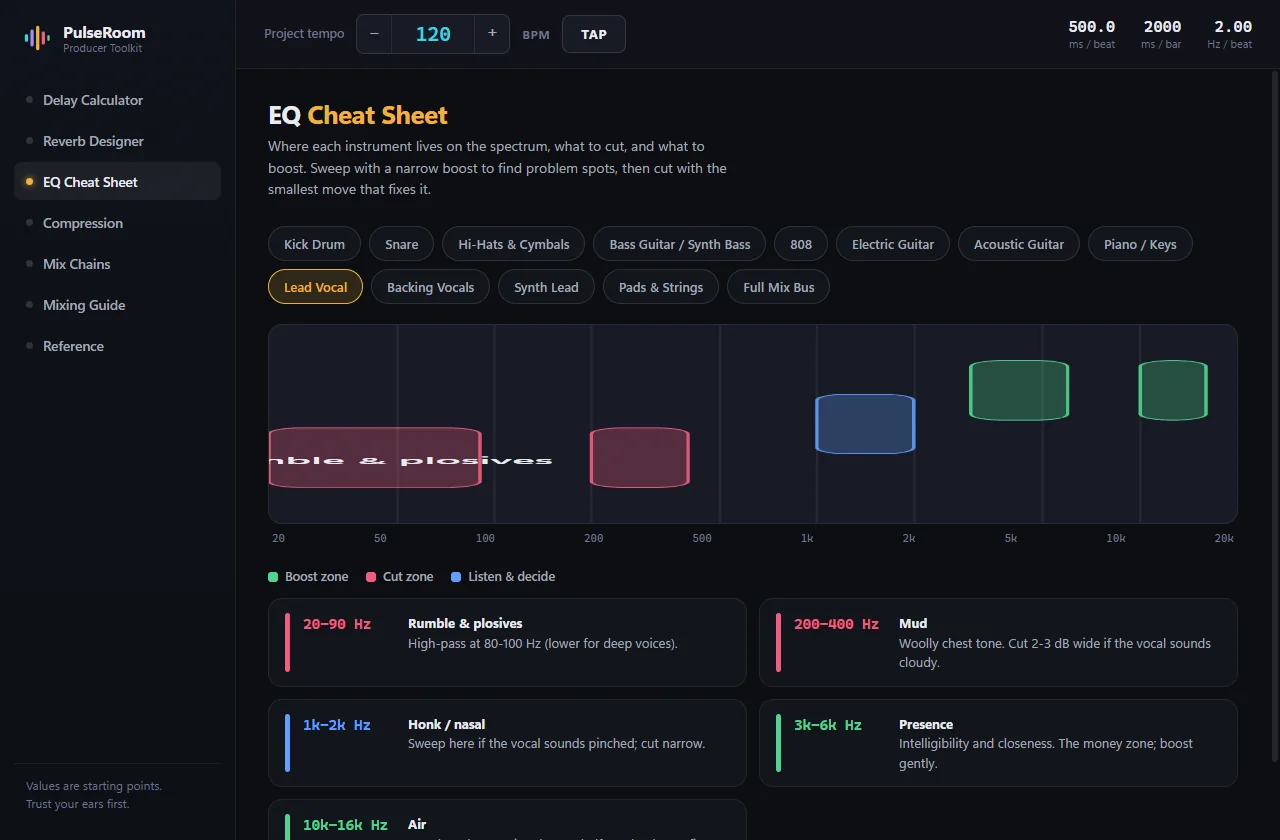
The reference desk beside your DAW. Tap in your song’s BPM once and everything follows: tempo-synced delay times, reverb pre-delay and decay that land on the bar grid, EQ boost-and-cut zones painted for 13 instruments, and compression you can finally see as a drawn gain-reduction envelope.

Every number ships with its why, and the app’s own footer says the rest: values are starting points — trust your ears first. Offline, no account, no ads.

  • Tap-tempo drives it all
  • Click-to-copy every value
  • Visual EQ & compression
  • Mix chains with reasons
  • LUFS & reference tables
  • Free · Windows & macOS
Get the download
PulseRoom Reverb Designer — pre-delay and decay sized to the bar grid
Reverb Designer
PulseRoom EQ Cheat Sheet — boost and cut zones for lead vocal
EQ Cheat Sheet
PulseRoom Compression — the gain-reduction envelope, drawn
Compression

Why these exist

Built by someone who has to use them on Sunday

Tested live

In a real room

Used on actual services and sessions, not in a demo.

Audio first

Signal, then UI

The engines came before the interfaces — untouched audio, measured latency, honest loops.

Volunteers

Non-technical users

Built so the person operating it can be anyone on the team.

Early access

Want in?

HarmonieMD and Nebula Tide are in private testing, PerformLive is deep in development, and PulseRoom’s free download is rolling out. Tell me which one and what your team looks like — you’ll hear back within two working days.