
Coming Soon · Windows and Mac
Easy Stems
Any song. Every instrument. Your computer.
Drop a track and Easy Stems hands you the drums, bass, guitar, keys, lead vocals, backing vocals and everything else as separate tracks. Nothing is uploaded. Nothing to learn.
Coming soon · Windows 10/11, and Mac with Apple silicon or Intel · installs through Amanorsac Hub
Every Song Is a Band
Stems are the raw material of music work, and almost nobody has them. Labels rarely release them, and when they do it's years late and for a handful of hits. So everyone who wants the vocal, the drums or the bass out of a finished record has had three bad options: upload it to a stem website, buy a repair suite that costs hundreds, or learn to drive a command-line tool.
Easy Stems puts the best open models behind one button on your desktop. The audio stays on your machine, and it goes further than the usual four stems: six instruments, with the lead vocal lifted off the backing vocals.
The Split
One File In. Seven Tracks Out.
Keep scrolling and pull the mix apart, the way Easy Stems does.
Try It
Hear It as You Build It
Every stem plays live. Switch one off, solo another or ride a level while the song runs, with no waiting and no re-render. These are the real screens.
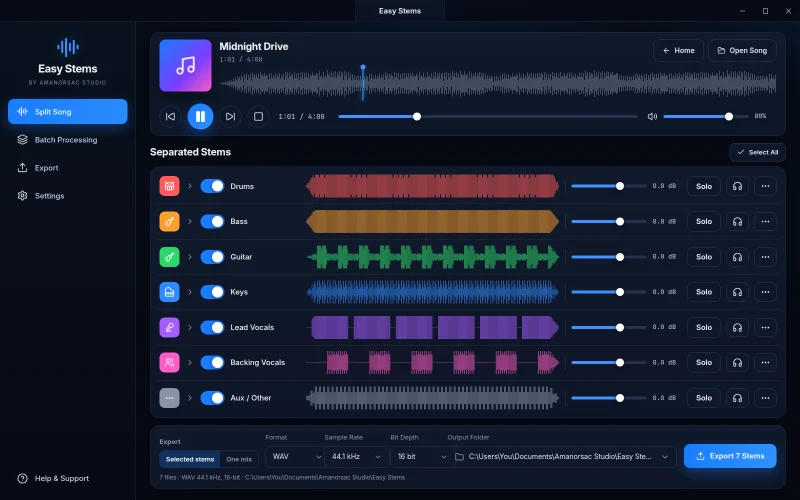
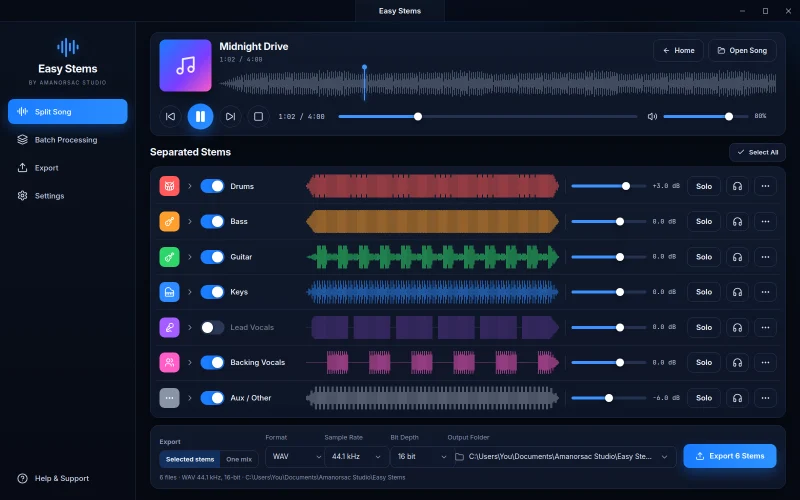
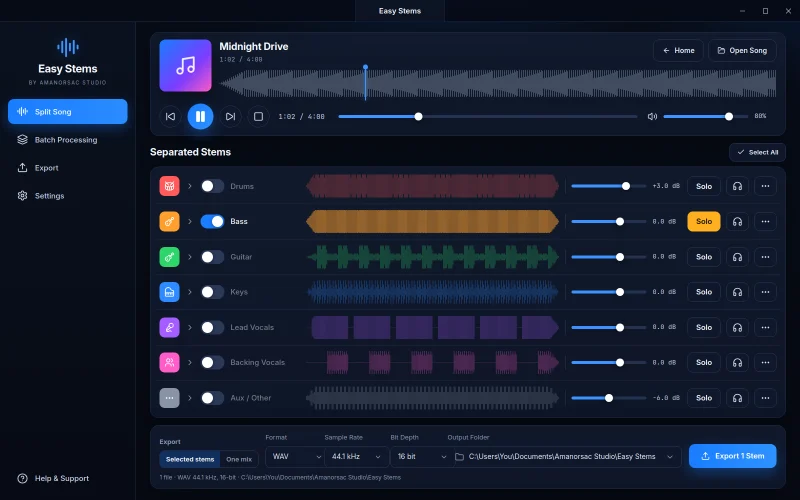
Seven stems, each with its own switch, level, solo and headphone button.
Features
Drop a Song, Get the Band
Everything here is in the app today.
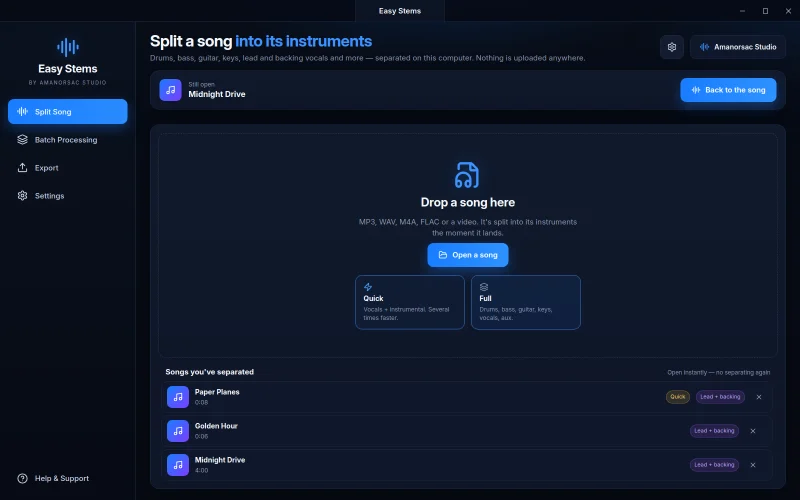
Quick or Full
Quick When You're in a Hurry
Quick runs a lighter model that knows vocals and everything else, several times faster. Pick it for an acapella or a backing track.
Full runs the six-instrument model when you want the whole band. Either way, the song starts playing the moment you drop it and carries on from the same spot when the stems arrive.
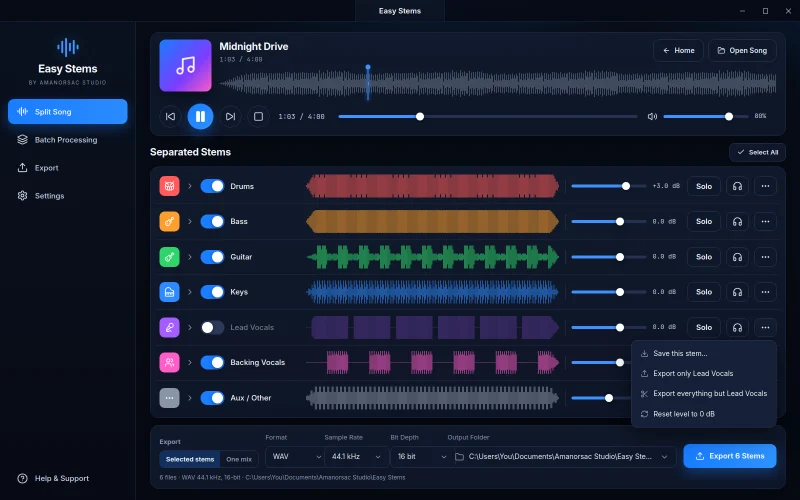
Just One Part, or All but One
The Part You Came For
Solo a stem and export it alone. Switch one off and export everything else as one file. An instrumental with no lead vocal, a drumless practice mix or a bass-only track is two clicks.
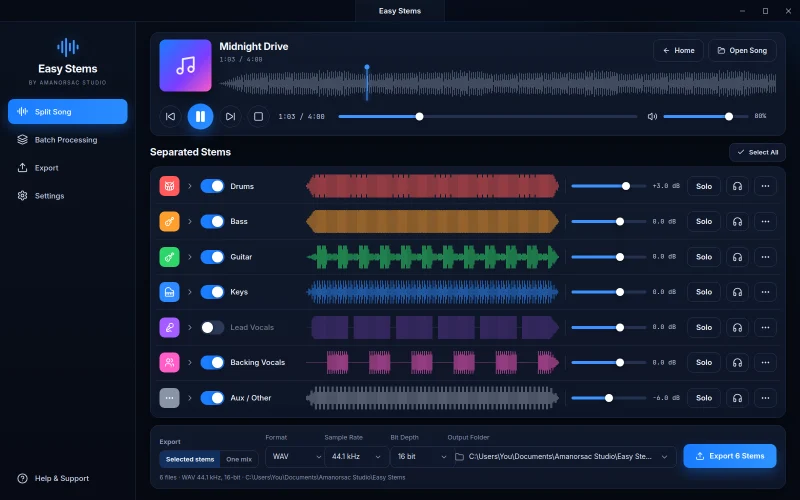
Studio-Grade Files
Selected stems as separate files, or everything you can hear as one mix. WAV at 44.1 or 48 kHz, 16 or 24 bit, named and foldered, ready to drag into any DAW.
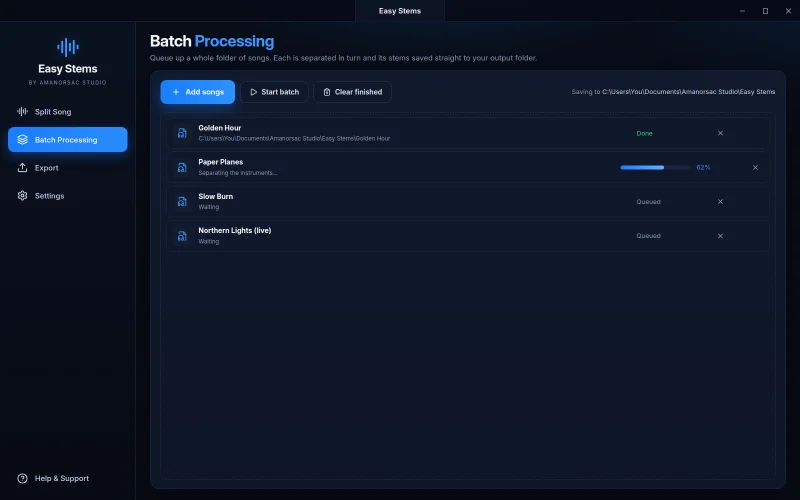
A Folder at a Time
Queue a whole set in Batch, walk away, and come back to stems for every song.
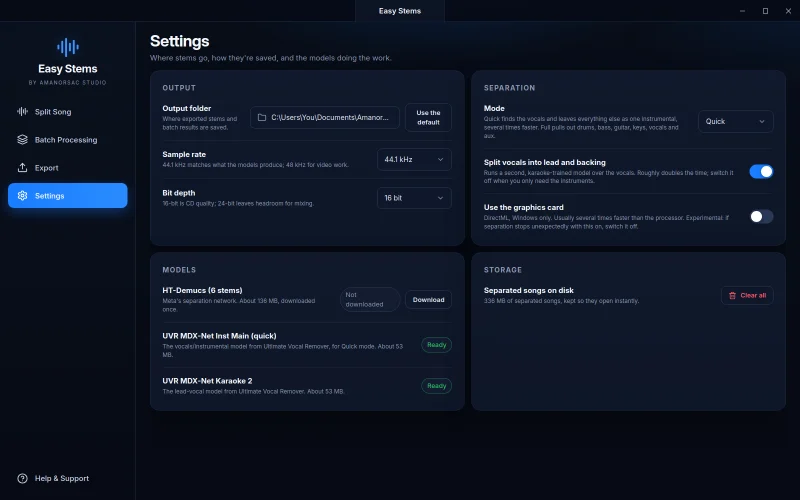
Separate Once
Every song you split stays in your library and reopens instantly. On Windows, a graphics card makes it faster, and it falls back to the processor on its own.
How It Compares
Local, Six Stems, and the Vocals Apart
Repair suites are repair tools with a separator in them. Stem websites are a separator with your audio on their servers. Easy Stems is a separator built for musicians, on your own machine, with the whole band in it.
| Easy Stems | Stem websites | Repair suites | |
|---|---|---|---|
| Where your audio goes | Stays on your computer | Uploaded to their servers | Stays on your computer |
| Stems | Six: drums, bass, guitar, keys, vocals, aux | Usually four | Usually four |
| Lead and backing vocals apart | Yes | Rarely | No |
| Live mixer while it plays | Mute, solo and level on every stem | Preview only | Inside the suite |
| Quick vocals-and-instrumental mode | Yes | Yes | No |
| Batch | Yes | On paid tiers | Through the host app |
| Price | One payment, announced at launch | Monthly, or per minute of audio | Part of a suite, hundreds of dollars |
How It Works
Three Steps
Drop a song
MP3, WAV, M4A, FLAC, OGG, AAC, or the sound from an MP4 or MOV video. It starts playing straight away.
Pick Quick or Full
Vocals and the rest in a hurry, or the whole band taken apart.
Mute, solo, level, export
Build the mix you need while it plays, then save the stems or one file.
Tech Specs
Version
0.1.8.
Stems
Drums, bass, guitar, keys, lead vocals, backing vocals and aux (everything else).
Models
Meta's HT-Demucs for Full. Ultimate Vocal Remover's MDX-Net models for Quick and for the lead and backing split.
Model Downloads
Once: 136 MB for Full, 53 MB for Quick, 53 MB for the vocal split.
Input
MP3, WAV, M4A, FLAC, OGG, AAC, and the audio track of MP4 or MOV.
Output
WAV, 44.1 or 48 kHz, 16 or 24 bit. Stems as separate files or one mix.
Windows
Windows 10 or 11, 64-bit. Any x64 processor, 8 cores or more recommended. Graphics card optional, through DirectML.
Mac
macOS 12 or later. Separate builds for Apple silicon and Intel. The Intel build is in My Apps.
Memory
8 GB minimum, 16 GB recommended.
Disk
300 MB for the app and models, plus about 300 MB for each song kept in the library.
Privacy
Audio never leaves the computer. The only network use is downloading the models once.
Files
Documents / Amanorsac Studio / Easy Stems, a folder per song, unless you pick somewhere else.
Questions
Does my audio go anywhere?
How long does a song take?
How clean is the split?
Can I get just one part?
I have an Intel Mac. Where is my version?
Easy Stems has two Mac builds, one for Apple silicon and one for Intel. Amanorsac Hub installs the Apple silicon one on every Mac for now, so on an Intel Mac get yours from the website instead:
- Once you own Easy Stems, open My Apps and sign in with the same account.
- Find Easy Stems and click Mac (Intel), under the Install in Amanorsac Hub button.
- Open the .dmg that downloads and drag Easy Stems into Applications.
Not sure which Mac you have? Open the Apple menu and choose About This Mac. If it says Chip: Apple M1 (or M2, M3, M4), you have Apple silicon and the Hub's install is the right one. If it says Processor: Intel, use the Intel build.
Is it a subscription?

Easy Stems
Take Your Favourite Record Apart Tonight
Any song, every instrument, on your own computer. Coming soon for Windows and Mac.
Made by Amanorsac Studio. Runs on open models from Meta and the Ultimate Vocal Remover project.
Easy Stems
Coming soon
For Windows and Mac, installed and updated through Amanorsac Hub. Make an account now and it lands in My Apps the day it goes on sale.
On an Intel Mac? There is an Intel build too. Once you own Easy Stems, it is in My Apps under Mac (Intel). How to tell which Mac you have.