 Low End
Coming soon · in beta with testers · Windows and Mac
Low End
Bass amp, pedalboard and looper for the stage.
Low End is a bass rig for the stage and the practice room. Amps, cabinets and a pedalboard you build yourself, a looper that keeps time with the click, and presets and sets that change without a gap. Its Learn tab finds a song's chords, key and beat, separates it into stems on your own computer, and lets you record yourself playing over it.
Standalone, VST3 and Audio Unit · no account inside the app · makes no network requests
A Rig You Build
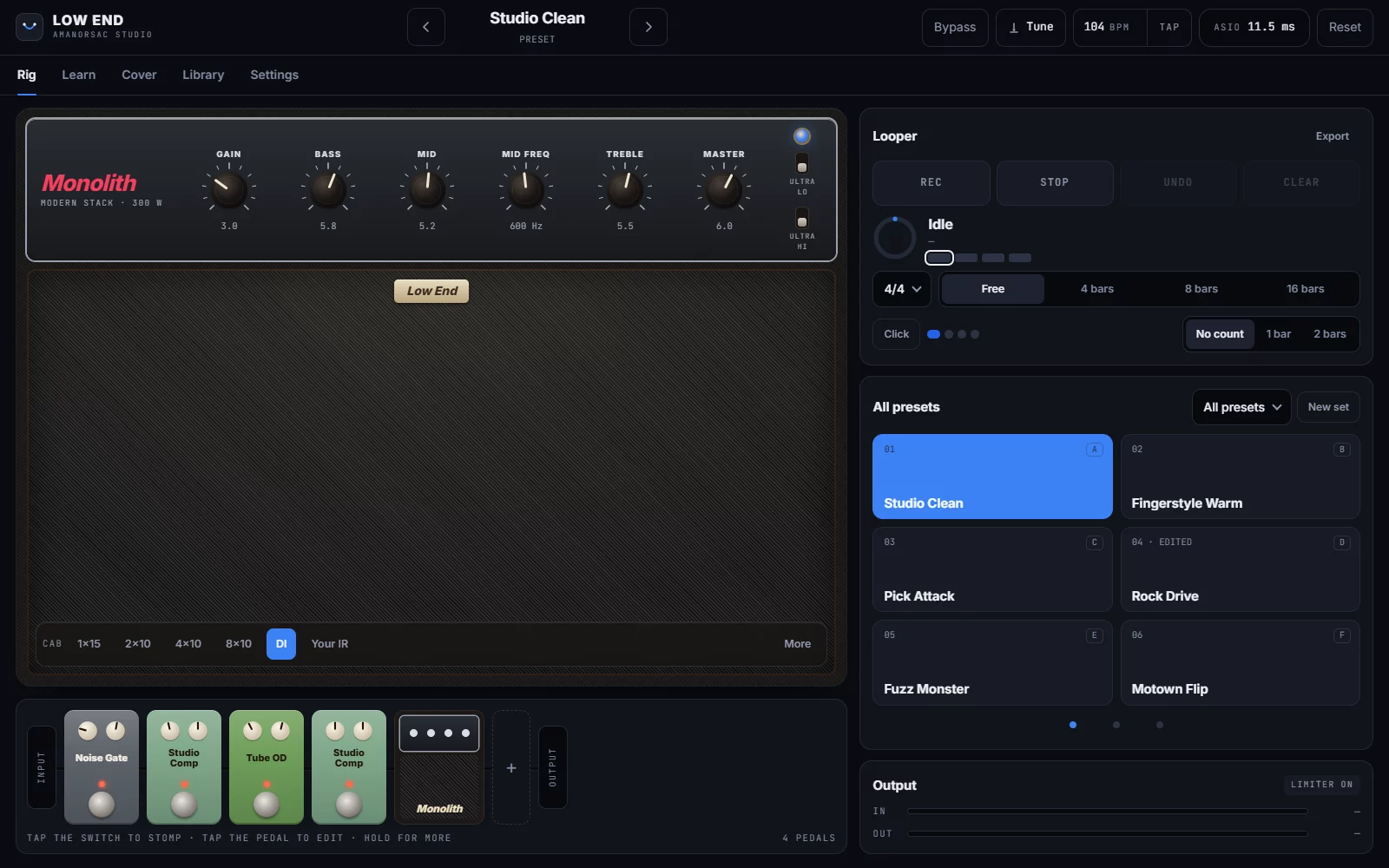
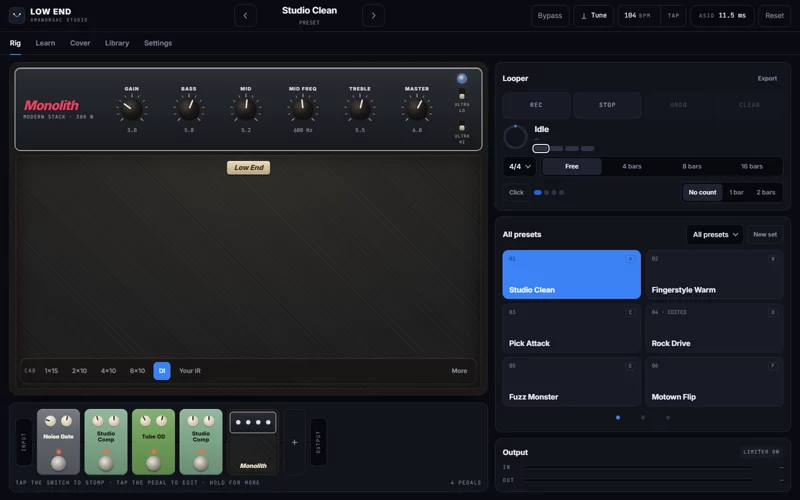
Four bass amps: Studio Clean, Classic Tube, Flip Top and Monolith. Under the amp, 1×15, 2×10, 4×10 and 8×10 cabinets with a choice of microphone and where it sits, a DI setting, or your own impulse responses. A DI blend sits under the amp, and a synth voice follows the note you play.
In front of it, a pedalboard you put together in any order, before or after the amp. Bypass All lets you hear your bass as it is.
Pedals
One After Another, as on a Real Board
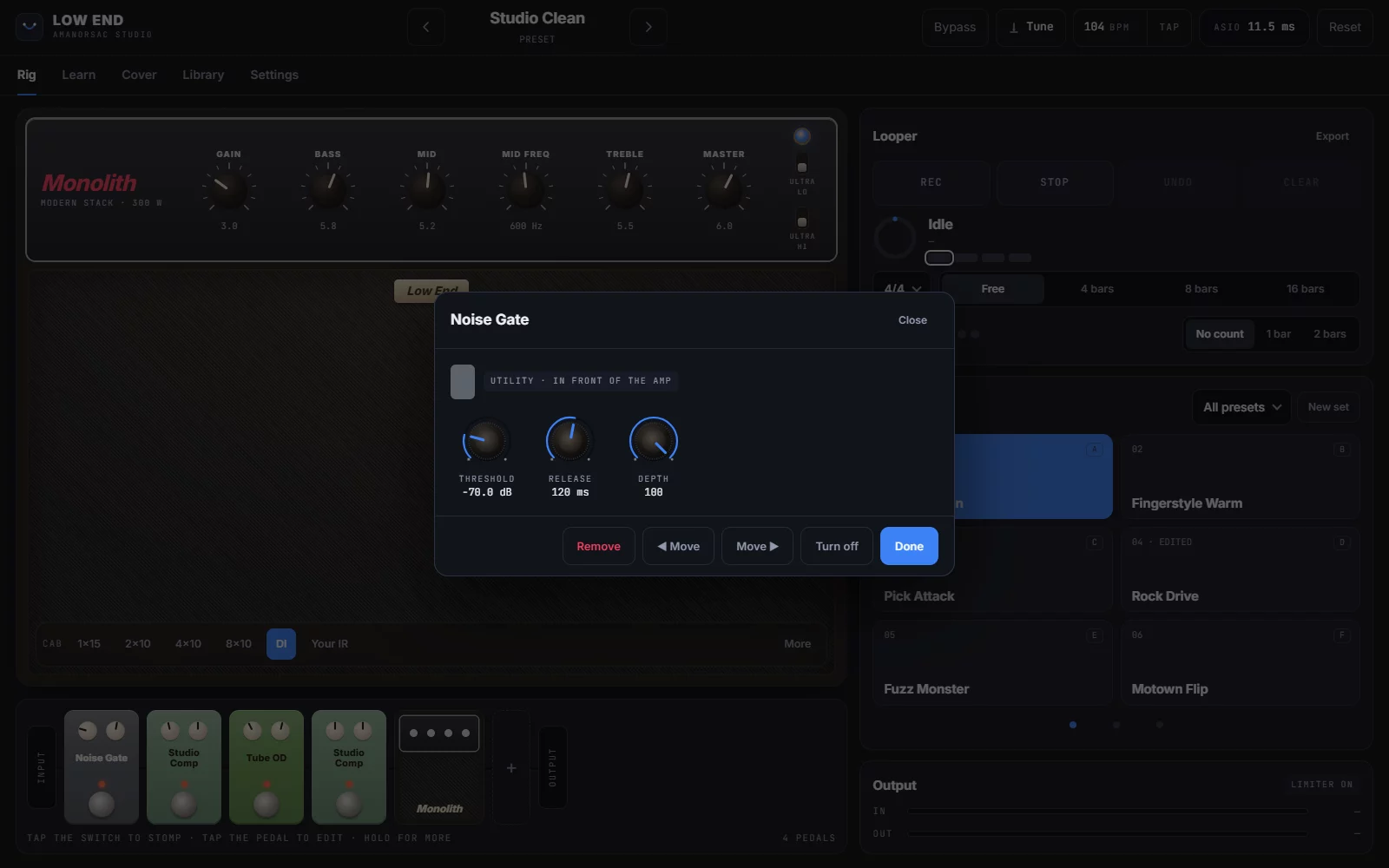
Noise Gate, Modern Bass OD, Tube OD, Green Box, Ranger Boost, Studio Comp, FET Squeeze, Bass EQ, Envelope Filter and more. Tap a pedal to open it, tap its switch to stomp it, and move it along the board.
On stage
Change Preset Without a Gap
Build presets, then put them in sets and step through a set with footswitches A to F. Changing preset never cuts the sound. An edit you have not saved is kept when you move to the next preset, and when you close, Low End asks whether to save it to the preset, to the set only, or let it go.
Looper and click
A Looper That Keeps Time
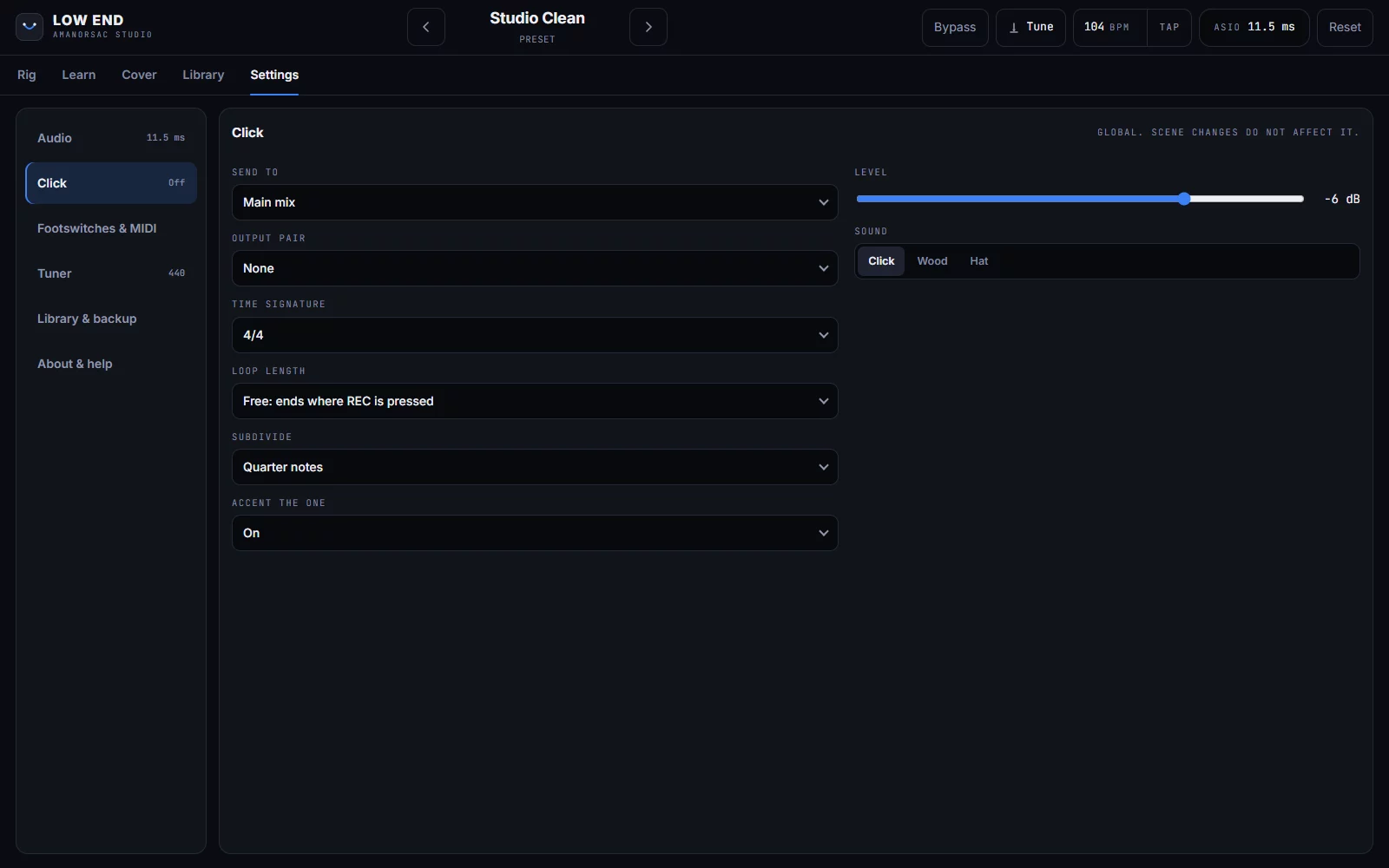
Press REC and the loop starts on the bar where you first play. Choose a length of 1, 2, 4, 8 or 16 bars, or let it run free. Four layers, with overdub and undo. The loop keeps to the click, and when you stop and start it again it comes back in on the "1".
The click runs from 2/4 to 12/8, with the "1" an octave higher than the other beats. Send it to its own output pair, so it goes to your in-ears and the audience never hears it.
Learn
Learn the Song
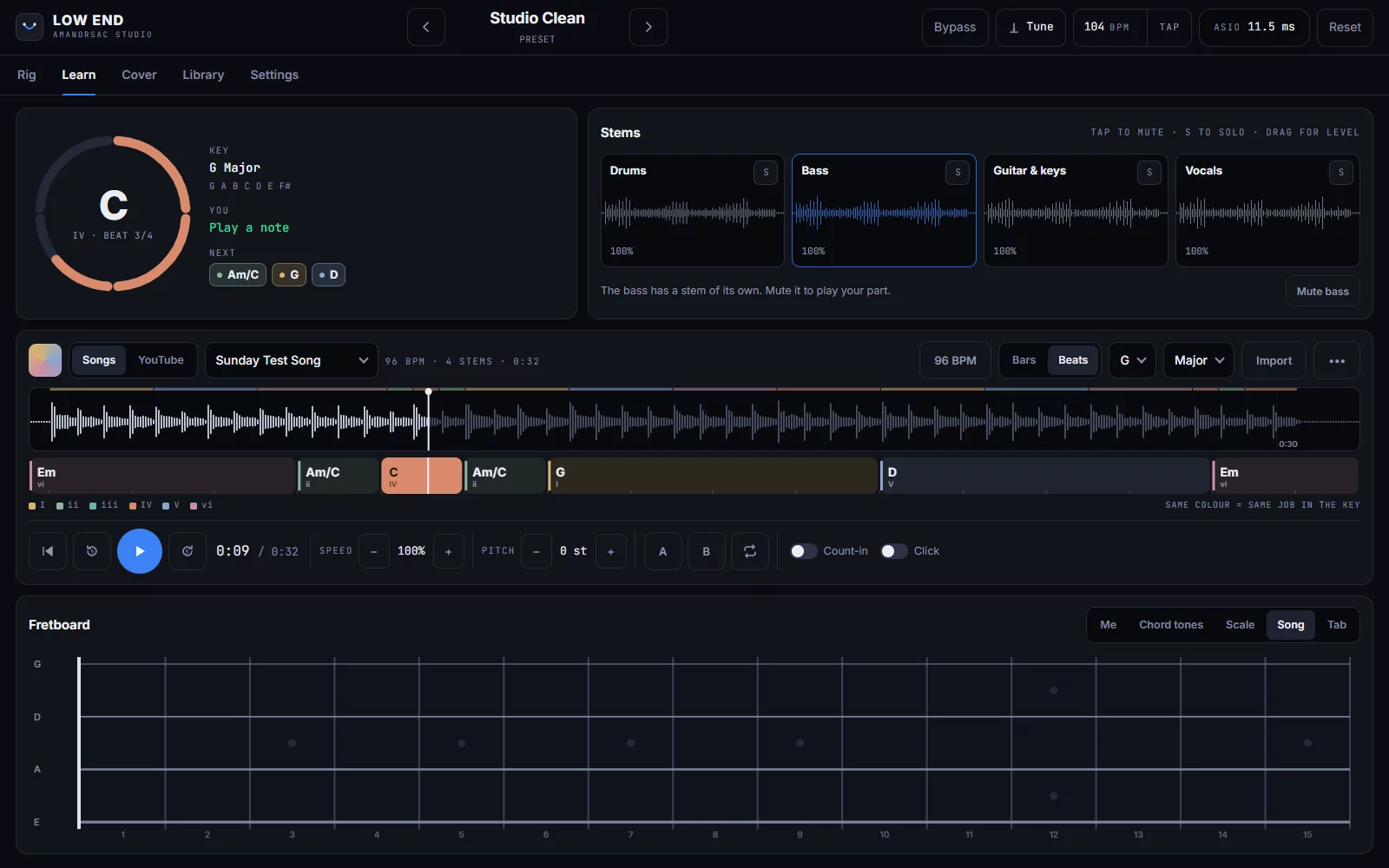
Import a song or a video. Low End finds the chords, the key and the beat, and shows the chords per bar or per beat, coloured by their job in the key. Separate it into stems on your own computer, with no internet connection. The bass has a stem of its own, so mute it and play the part yourself.
Slow it down without changing its pitch, change its key, loop a section from A to B, and count in with a click. The fretboard shows what you play, on a four- or five-string neck.
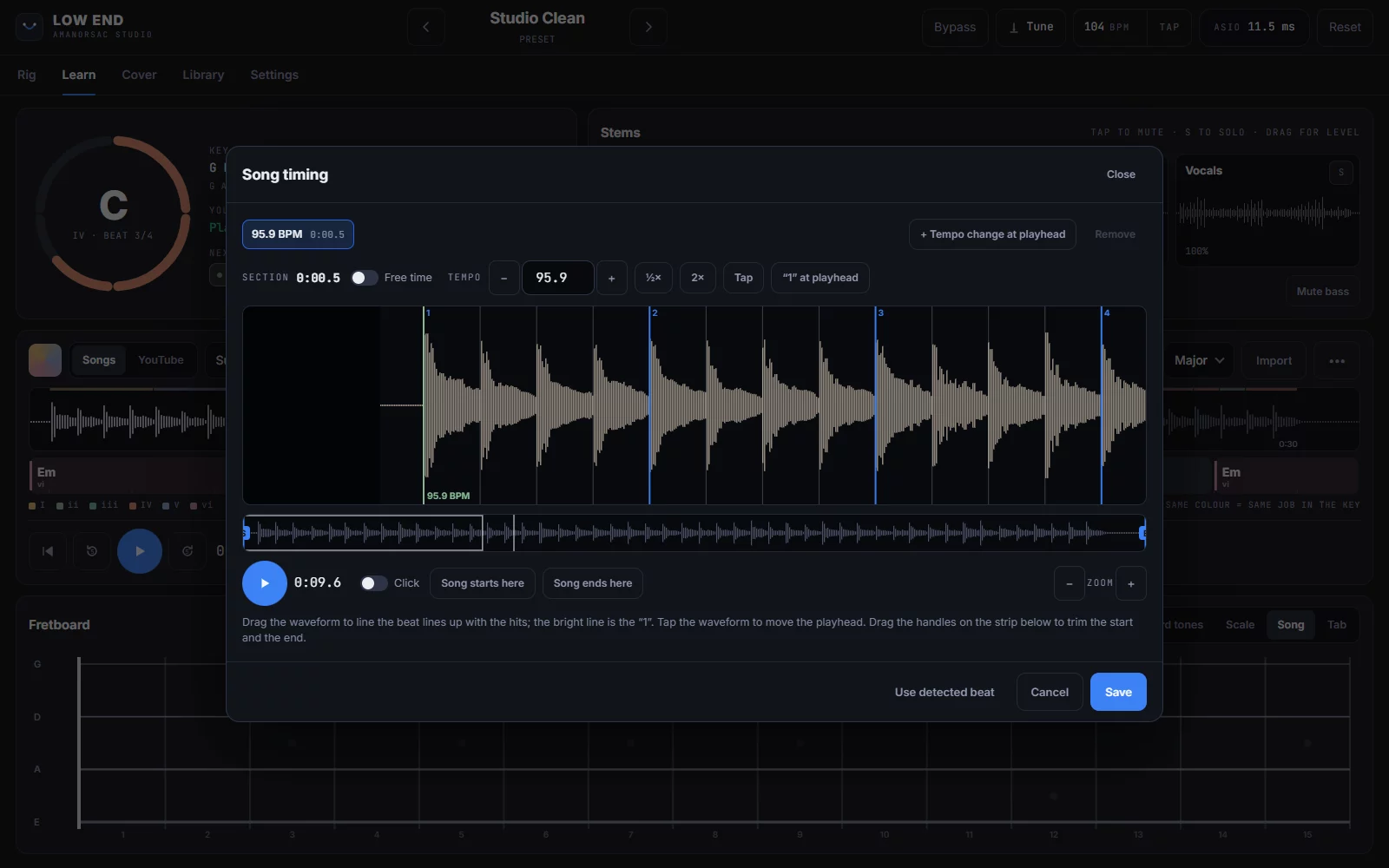
Song timing
When the Song Starts Slowly
Plenty of songs open in free time and come into tempo later. Mark the free-time intro, set the tempo where the band comes in, and add tempo changes where the song moves. Drag the waveform until the beat lines sit on the hits, and trim where the song starts and ends.
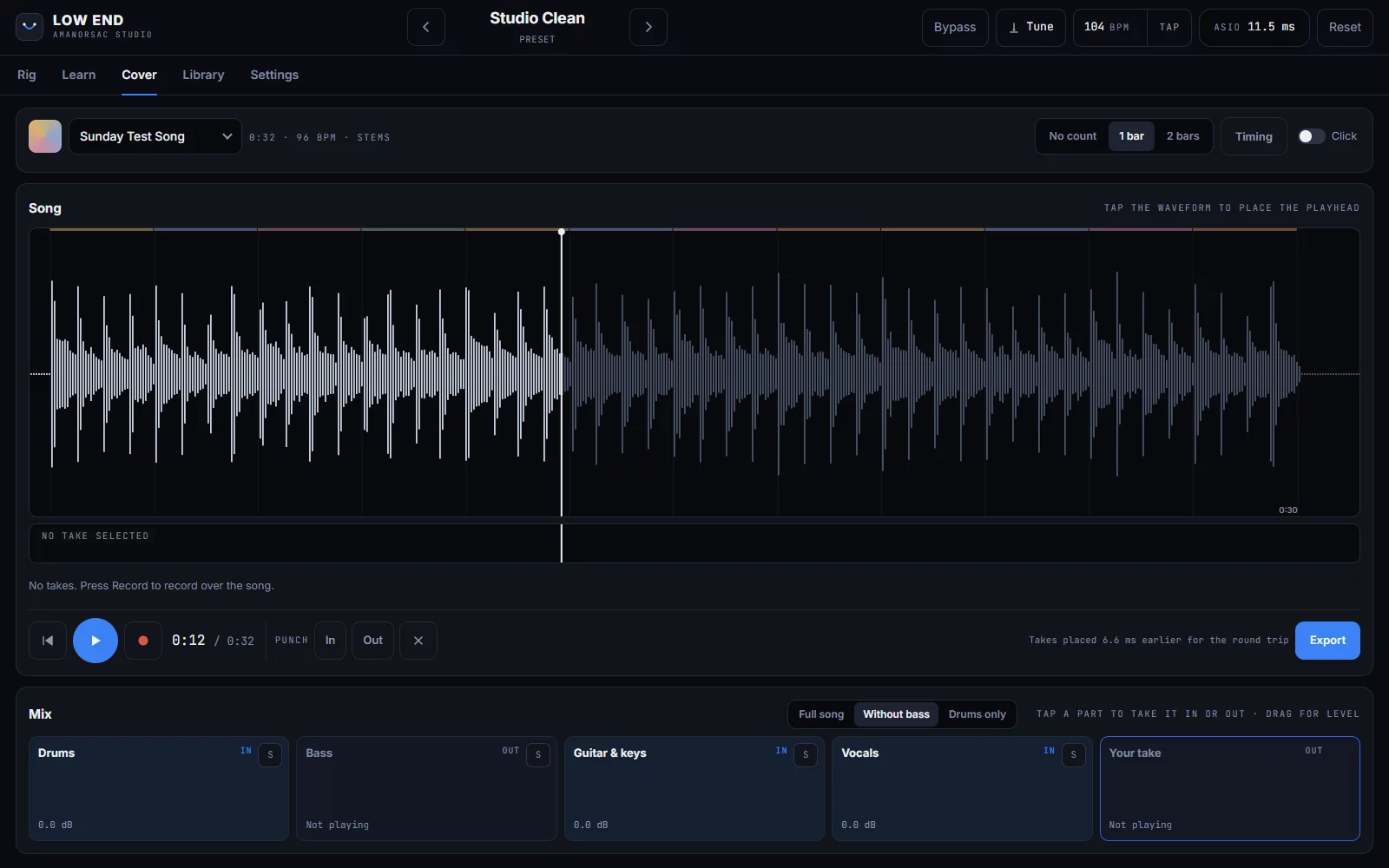
Cover
Record Yourself Over the Song
The Cover tab plays the song through your audio interface and records you over it with the whole rig. Punch in on one section, keep every take, and choose which parts of the song you hear. Export the mix, your bass and a clean DI as WAV files.
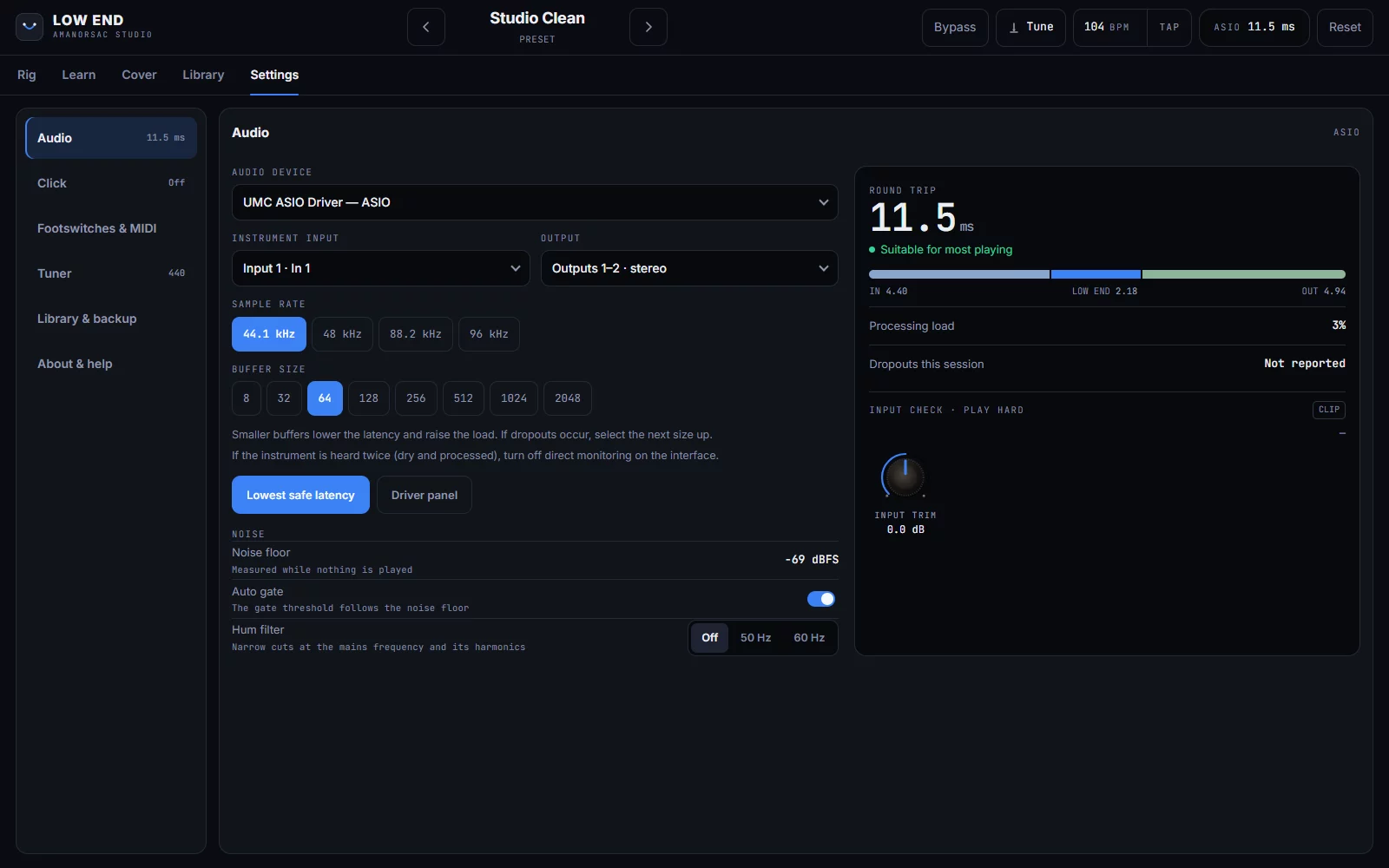
Audio
Your Interface, Your Way
Every audio interface on every driver in one list. Pick the input channel and the output pair, mono or stereo, and press Lowest safe latency to get the smallest buffer that holds up. The round trip is shown in milliseconds.
The noise gate follows the noise your input actually has, and a 50 or 60 Hz hum filter takes out mains hum.
Library
Presets, Sets and Songs in One Place
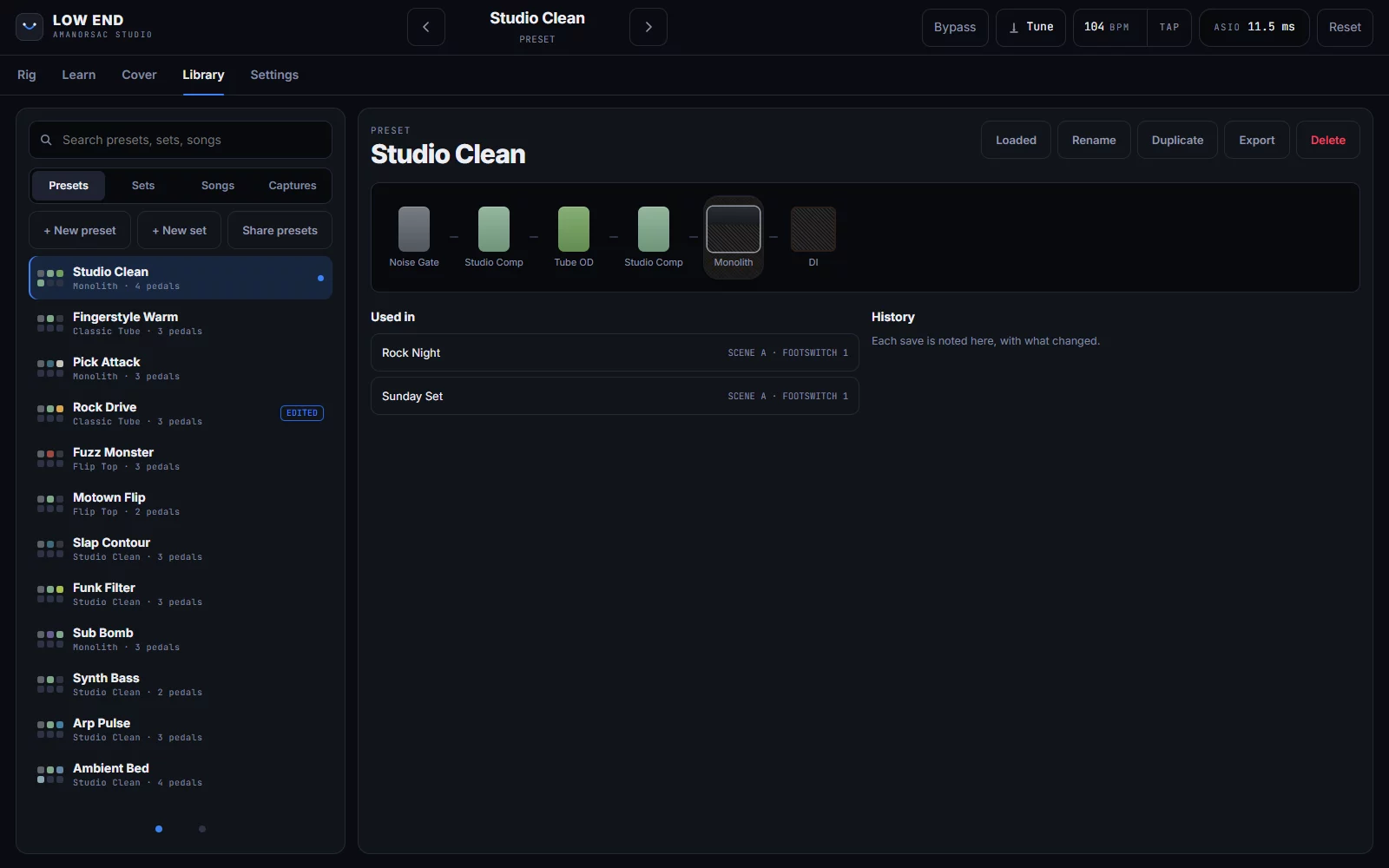
Search every preset, set, song and capture. Each preset shows its chain, which sets use it, and a history of what changed each time you saved it. Rename, duplicate or export it from the same screen.
Nothing Leaves Your Computer
Low End has no account and makes no network requests. Your presets, sets, songs and recordings stay in your Documents folder. The song you import is separated on your own machine, and nothing is uploaded.
Tech Specs
Amps
Studio Clean, Classic Tube, Flip Top and Monolith.
Cabinets
1×15, 2×10, 4×10 and 8×10, with a choice of microphone and its placement, a DI setting, or your own impulse responses.
DI and synth
A DI blend under the amp, and a synth voice that follows the note you play.
Pedals
Noise Gate, Modern Bass OD, Tube OD, Green Box, Ranger Boost, Studio Comp, FET Squeeze, Bass EQ, Envelope Filter and more. Any order, before or after the amp.
Presets and sets
Footswitches A to F. Changing preset never cuts the sound. Unsaved edits are kept until you decide.
Looper
Four layers, overdub and undo. Starts on your first note. 1, 2, 4, 8 or 16 bars, or free. Keeps to the click.
Click
2/4 to 12/8, an accented "1", and its own output pair.
Learn
Chords, key and beat. Stem separation on your computer, with the bass on its own stem. Speed, pitch, A–B loop and count-in. Four- and five-string fretboard.
Cover
Record over a song, punch in, keep takes. Export the mix, the bass and a clean DI as WAV.
Formats
Standalone application and VST3 on Windows. Standalone, VST3 and Audio Unit on Mac.
Windows
Windows 10 (1809) or later, 64-bit. Needs Microsoft Edge WebView2, which comes with Windows 11.
Mac
macOS 11 or later, Apple silicon and Intel.
Stem separation
An optional component of about 170 MB. It runs a model on your own computer, with no internet connection.
Questions
When is it out?
Can I test it?
Does it work in my DAW?
Does it need the internet?
What do I need to split a song into stems?
Can I share my presets with the studio?
Low End
Coming soon
Bass amp, pedalboard and looper for the stage, with a Learn tab that teaches you the song. In beta with testers now, for Windows and Mac. No price or date yet: it will install through Amanorsac Hub with a free account.
VST3 is a trademark of Steinberg Media Technologies GmbH. Audio Unit is a trademark of Apple Inc.