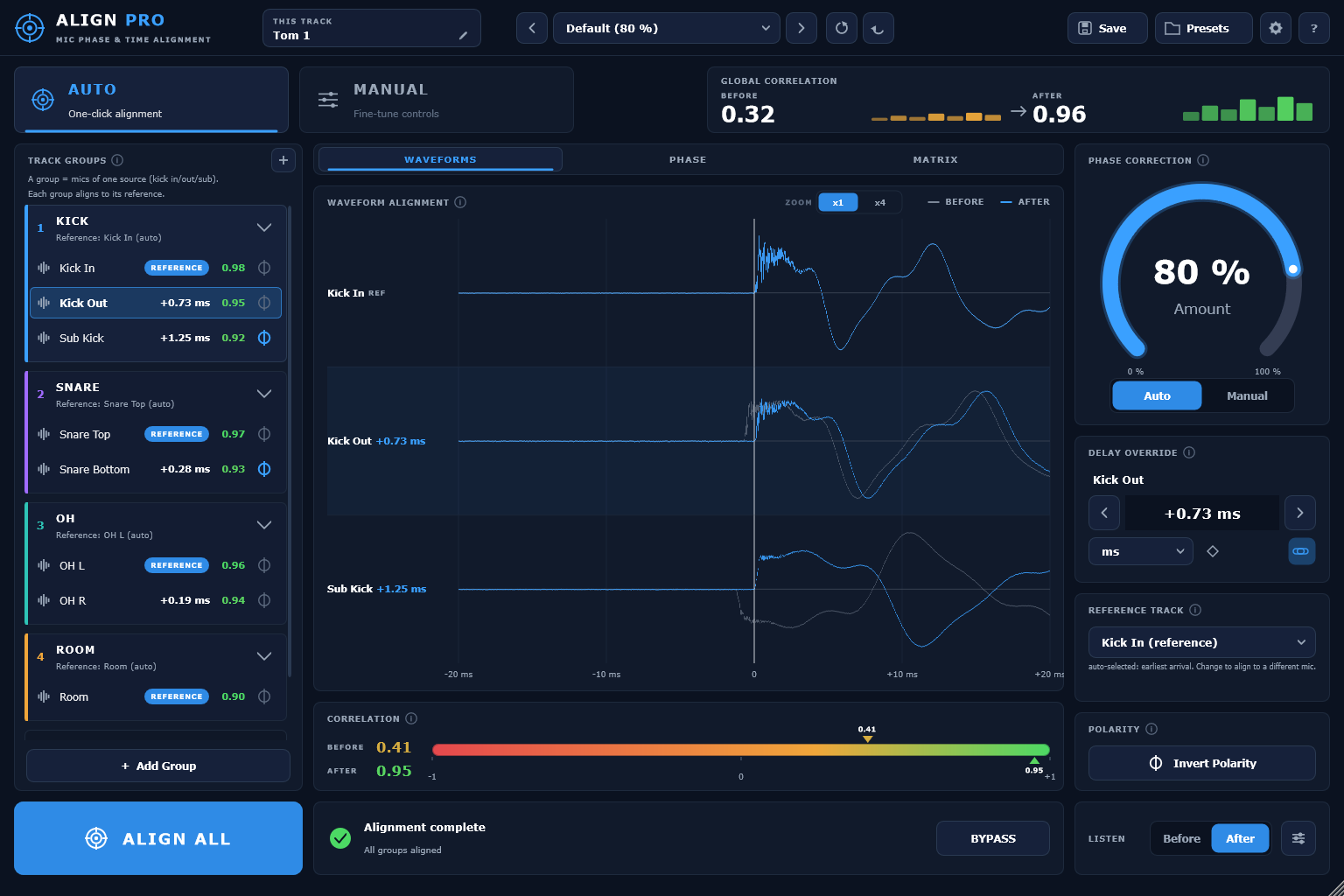
Align Pro finds the delay, the polarity flip and the frequency-dependent phase drift between any two mics on one source — and gives you a dial for how far to take the correction, so the kit doesn't shrink.
$39 once · version 1.0.0 · one key, two computers · signed and notarised
Eight drum mics, auto-grouped into four sources · global correlation 0.32 → 0.96 after one click of Align All
The problem
One millisecond is all it takes.
1 ms=48samples at 48 kHz
A one millisecond offset between two mics cancels the frequencies near 1000 / (2 × t) — around 500 Hz and its odd harmonics. That is why a kick sounds hollow, a mic'd cab blended with a DI loses its body, and a choir array feels thin the moment everything is summed. It happens long before anyone reaches for an EQ.
How it works
Insert, play ten seconds, align.
With ARA2 there is nothing to play: the host hands over the audio and the analysis happens without a capture pass.
Insert
On every mic of the source — kick in and out, snare top and bottom, overheads, room.
Play ten seconds
Enough for the analysis to find each arrival. Under ARA2, skip this entirely.
Align All
One click. Every group aligns to its own reference, and the correlation figures update.
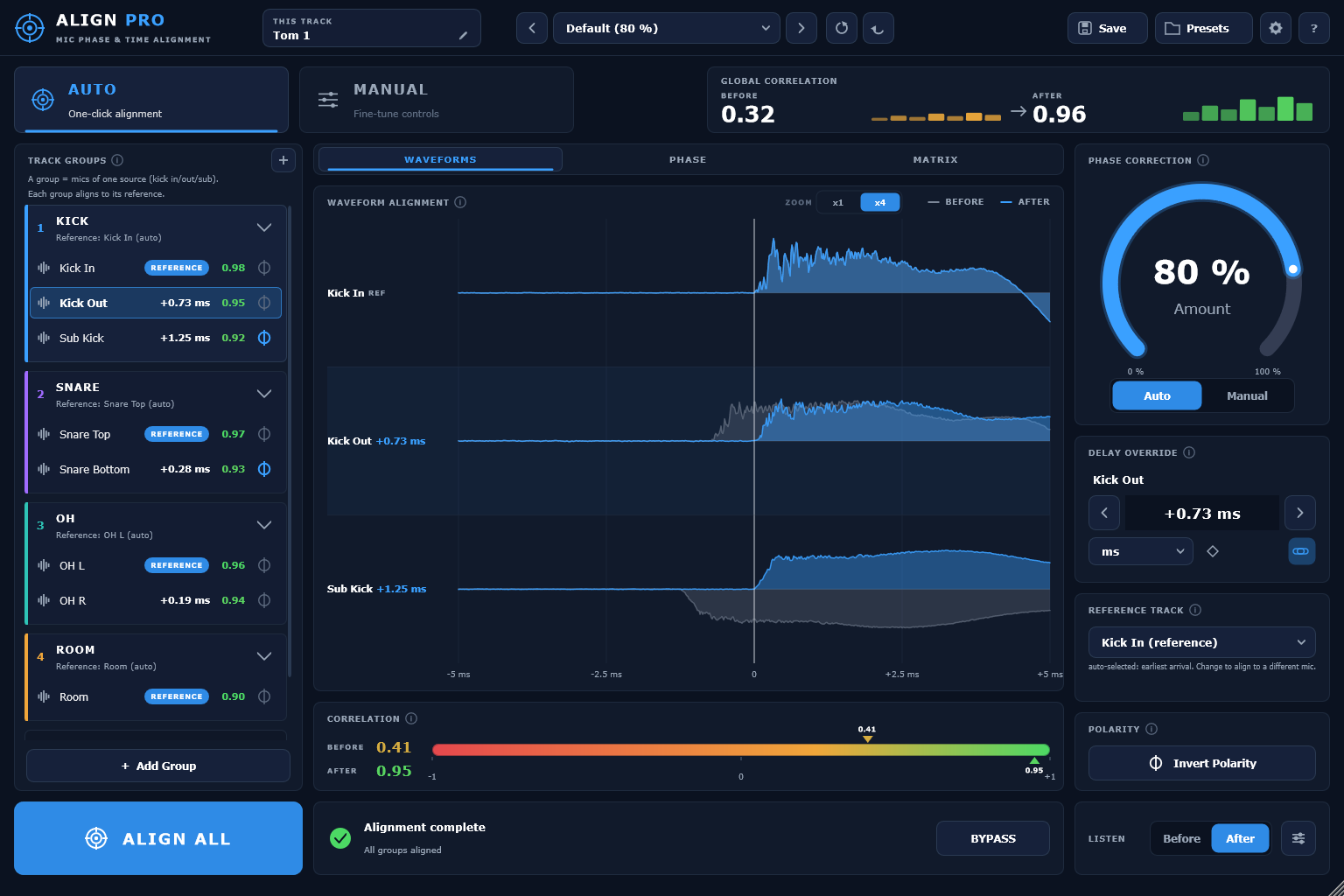
Sub-millisecond, and visible.
The same session zoomed to a five millisecond window: grey is what the mic captured, blue is where it sits after alignment. The figures beside each track are the delay applied and the correlation that resulted, not a rating.
Why Align Pro
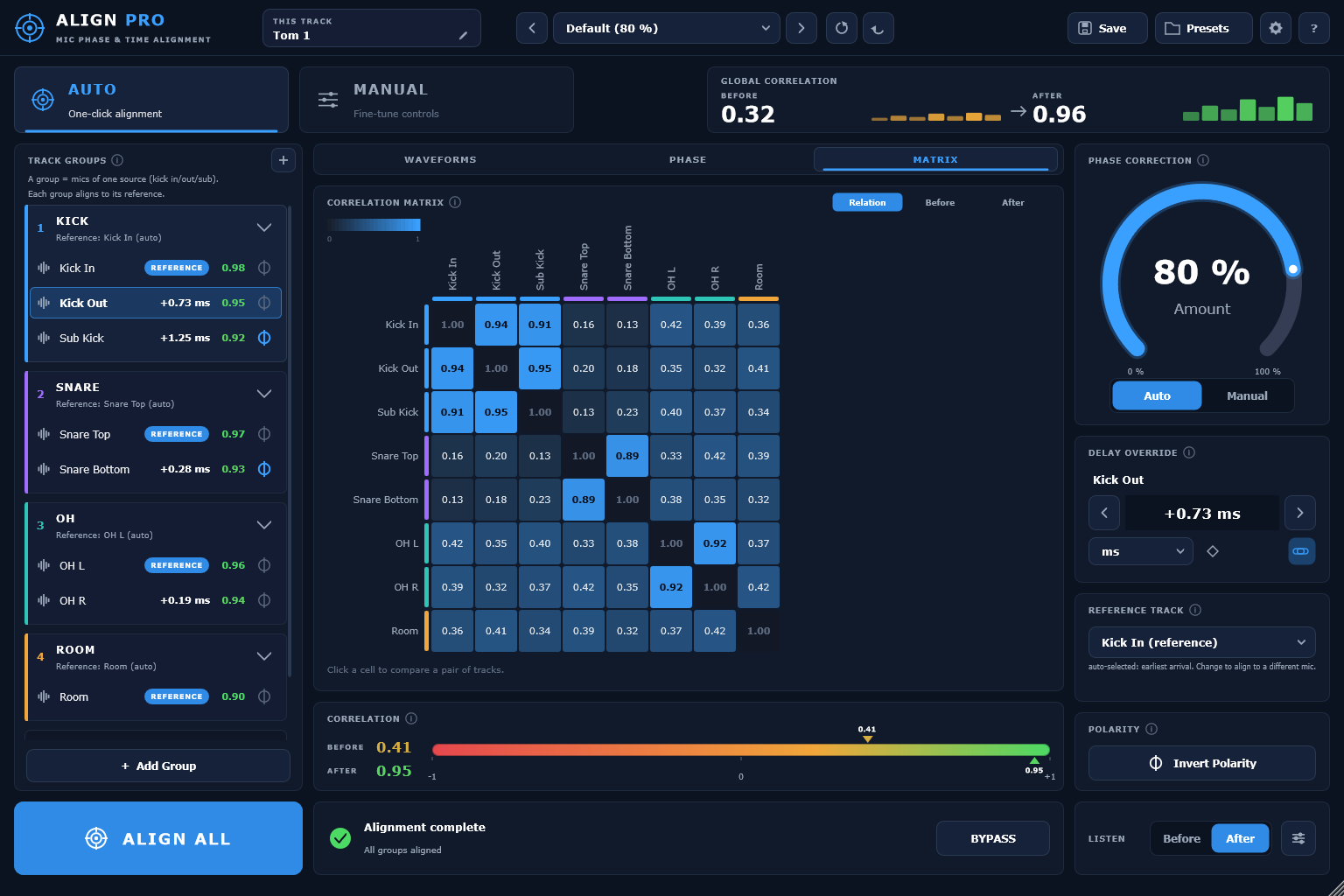
Every mic against every other mic.
Not each track against its own reference, but the whole array at once. The matrix is where you find the pair that is fighting — the overhead and the room that never agreed, the snare bottom pulling against the kick.
And a dial for how far to take it.
Alignment at full strength can flatten a kit: part of what makes a room sound like a room is that the mics disagree. The Amount dial scales how much correction is applied, live, from nothing to all of it. You can hear the correlation climb and stop at the point where it is fixed but still sounds like a drum kit.
Where it sits
Against Auto-Align 2.
Sound Radix Auto-Align 2 is the established tool in this category and the fair comparison to make. The fundamentals match. These are the axes where they differ.
Each line is the current tested state of version 1.0.0, and nothing more than that.
ARA2 in a real sessionTested live
No capture pass, no added latency.
VST3Tested live
Run in Reaper, Cubase and Nuendo, Studio One, Ableton Live and other VST3 hosts.
Windows buildVerified
Full DSP test suite and a host stress test.
macOS buildVerified
Signed, notarised and stapled, so it installs without a Gatekeeper argument.
AU, for Logic and GarageBandBuilds and loads
Not yet run inside an actual Logic session, so that is not claimed.
AAX, for Pro ToolsNot offered
Deliberately out of scope for version 1.
$39Once, for both machines
One key, two computers, no dongle.
Activation is a key you type into the plug-in — no account manager to install, nothing to plug in, and a Deactivate button for when you change machines. A year of updates is included, and the version you have keeps working after that.
It scales how much of the calculated correction is applied, from none of it to all of it, while you listen. Full correction is not always what a kit wants — some of what makes a room sound like a room is the mics disagreeing.
Do I have to play the session through first?
About ten seconds, so the analysis can find each arrival. Under ARA2 the host hands over the audio and there is no capture pass at all.
Does it work in Pro Tools?
Not in version 1. AAX is not built, and it is not claimed.
Logic?
The AU builds and loads, but it has not yet been run inside an actual Logic session, so nothing on this page claims it has.
Is there a dongle?
No. A key you type into the plug-in, two computers at a time, and a Deactivate button when you move.