
 MixMyIEM
Free · Windows and Mac · iPhone, iPad and Android coming
MixMyIEM
Your in-ear mix, your way.
Every singer and musician sets their own in-ear monitor mix on the church's Behringer X32 or Midas M32, from a phone, a tablet or a computer. Pick your name, move a few big faders, and hear what you need. Nothing you do changes the main mix or anyone else's mix.
Free · no account inside the app · talks only to your mixer, never the internet
No More Waving at the Sound Desk
The song has started and the bass player cannot hear the click. A singer is pointing at her ear. Somebody mouths "more me" across the room. The engineer is busy with the front of house, and every change to a monitor mix means walking over, finding the right bus and guessing.
MixMyIEM gives that job back to the people wearing the in-ears. Each person picks their name and turns up what they need, on their own mix and only their own. The engineer keeps the main mix. Everybody else keeps theirs.
Start
Tap Your Name and Go
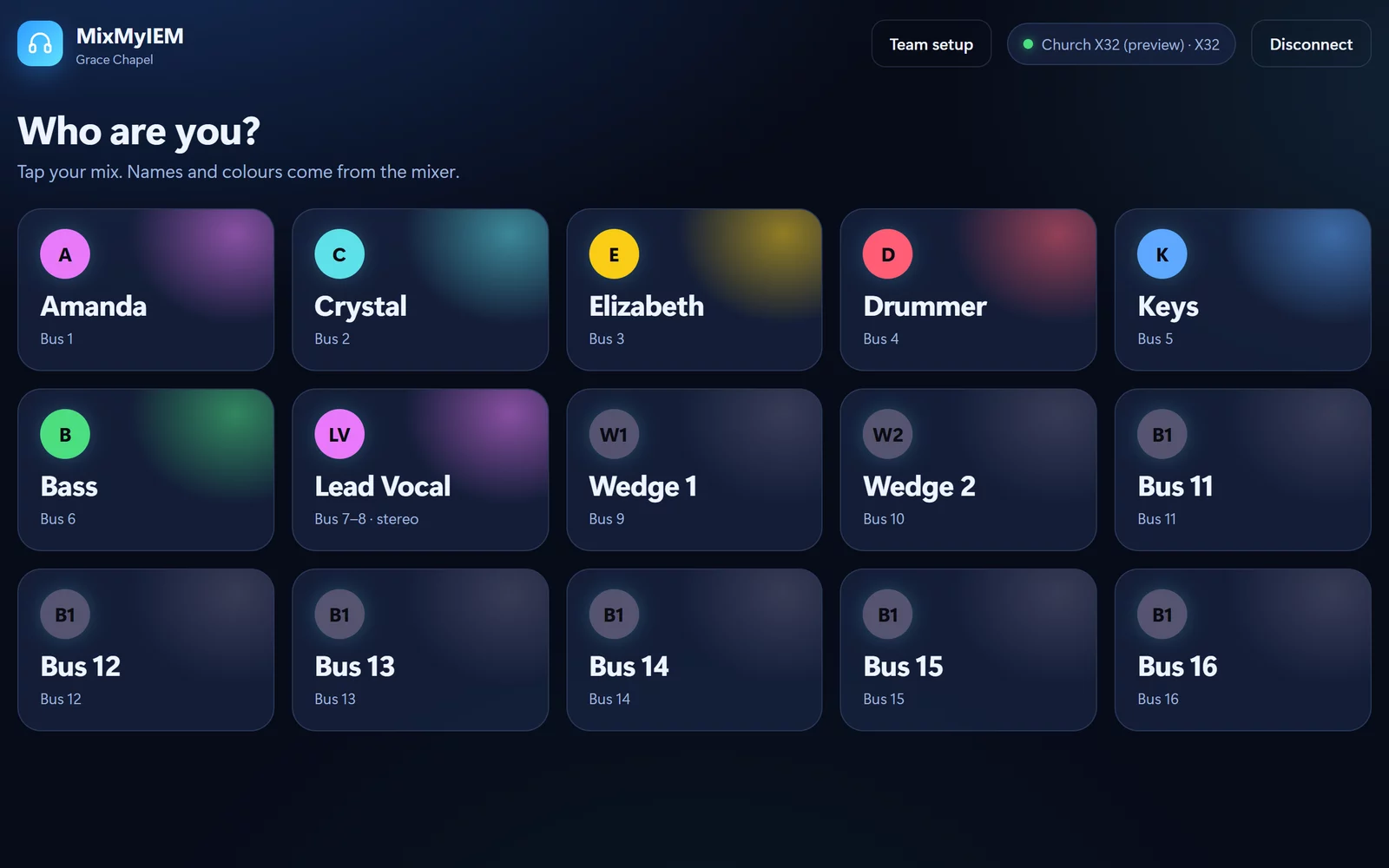
Open MixMyIEM, type the mixer's address or tap Find my mixer, and every mix on the desk appears as a card with its name and colour. Tap yours. There is nothing to set up for the singer at the front, and nothing to explain on a Sunday morning.
Groups
Seven Drum Mics Are One Fader
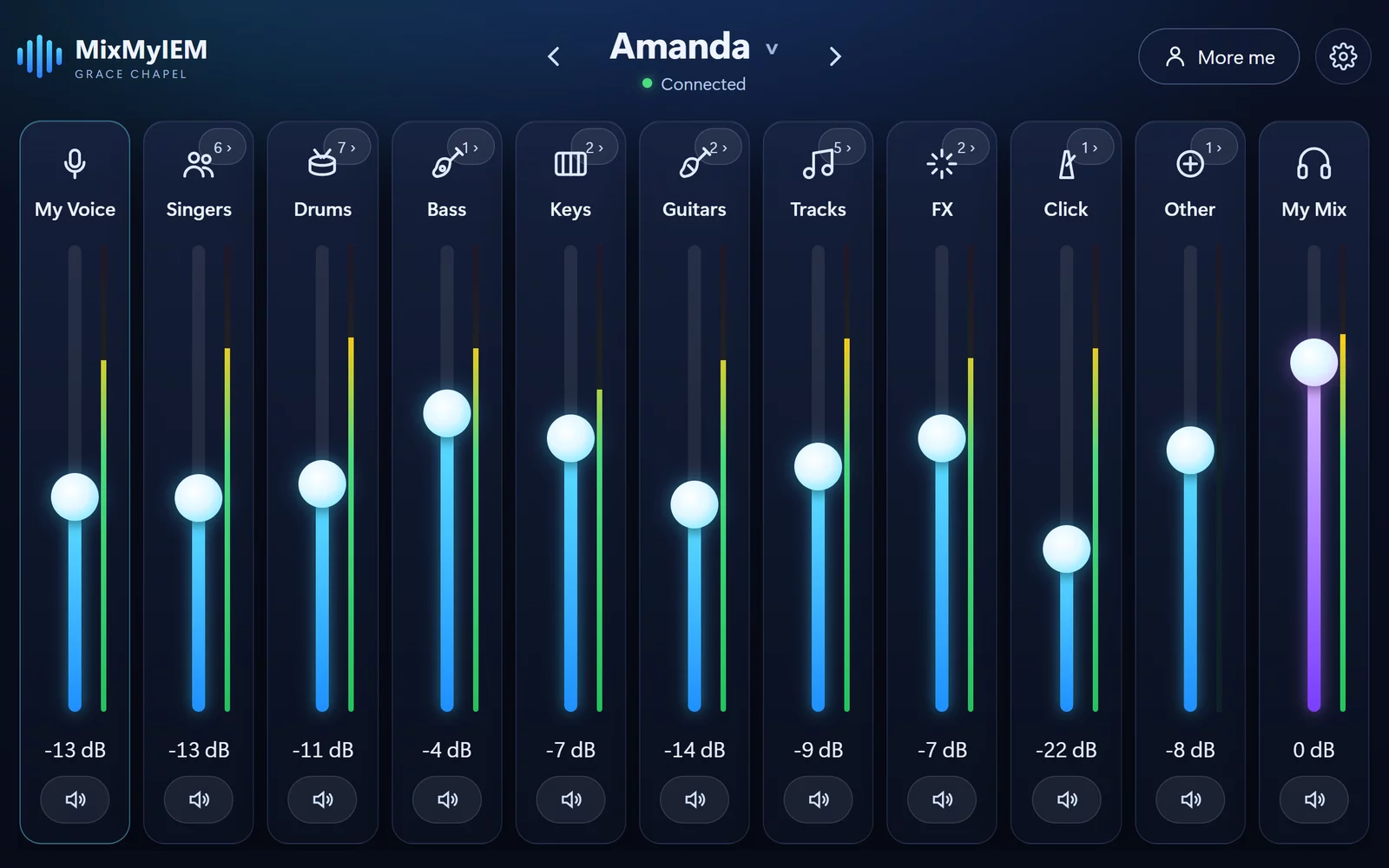
Most people do not want sixteen faders. They want more drums, less keys and more of themselves. MixMyIEM reads the channel names on the desk and puts Kick, Snare and Hi-Hat under Drums, the backing vocalists under Singers, and so on. Move a group's fader and the whole group follows, keeping its balance.
Open a group
Every Mic on Its Own, When You Want It
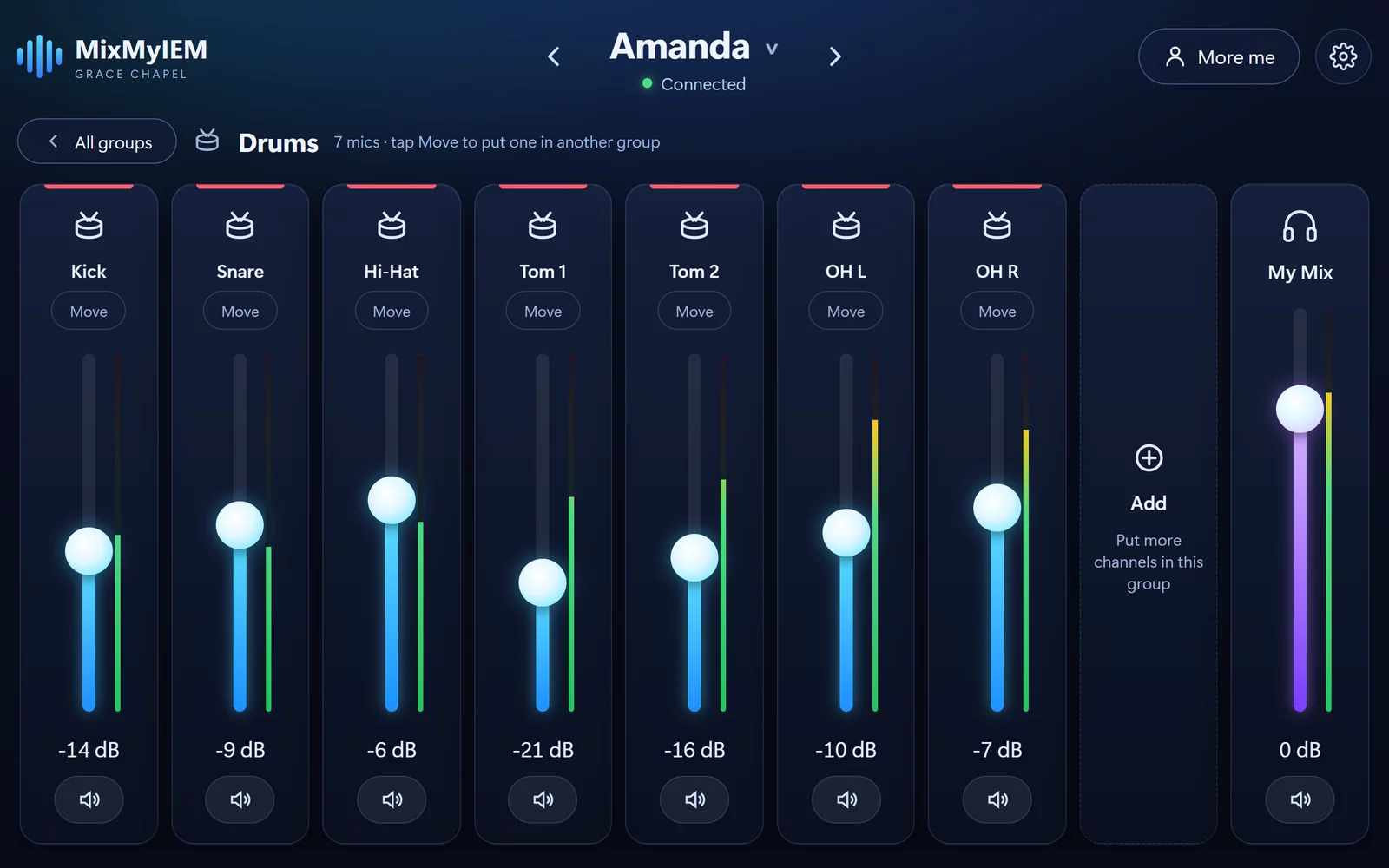
Tap a group's number badge and it opens like a folder track, with each mic on its own fader. Too much hi-hat? Pull just the hi-hat down. A channel in the wrong place goes somewhere else with Move, and Add puts more channels in.
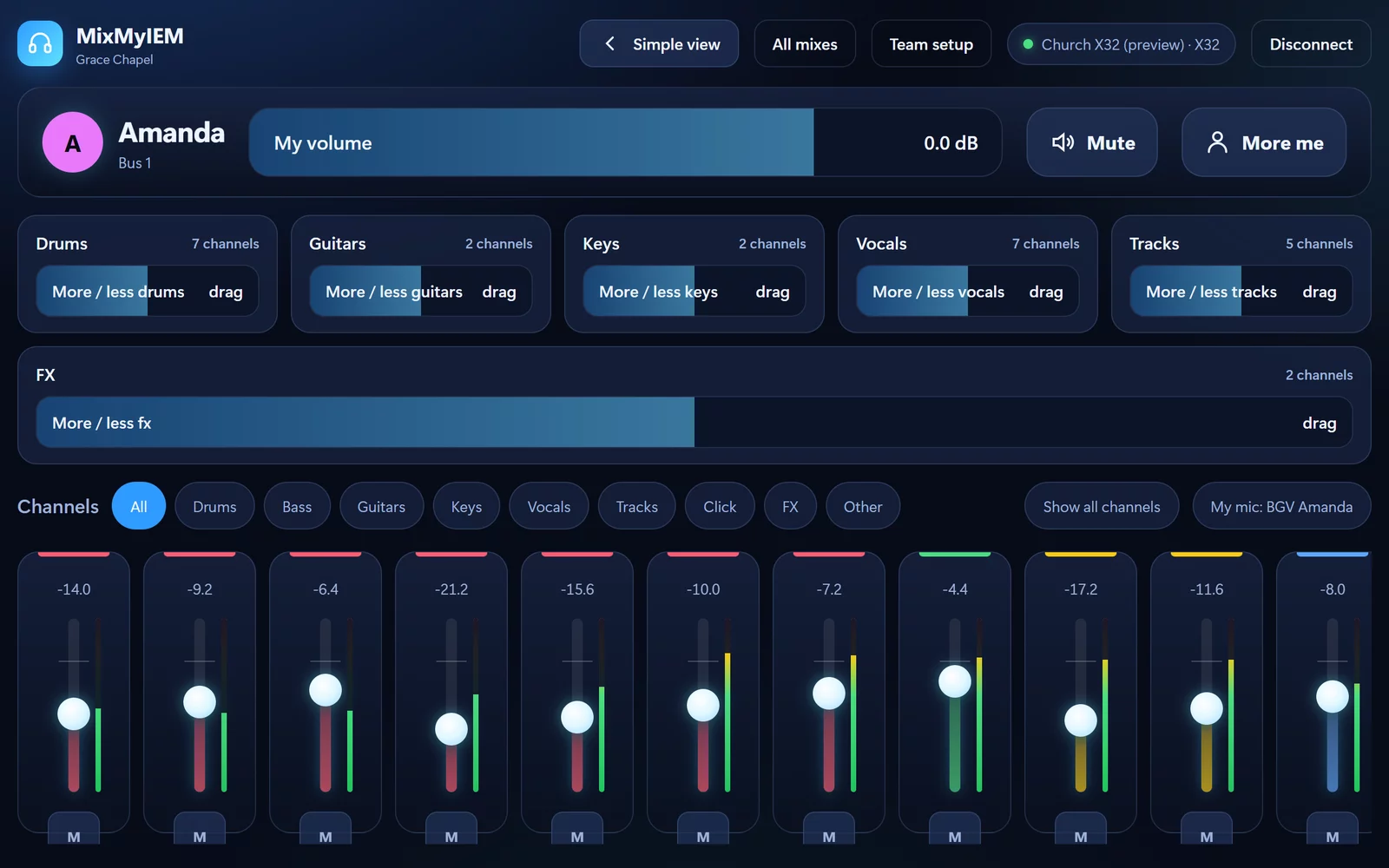
More control
For the Musician Who Wants Every Channel
The advanced view puts your overall volume, Mute and More me in one row, a slider for each group under it, and every channel's own fader and mute below that. It reads your mic from your mix's name, so More me always turns up the right one.
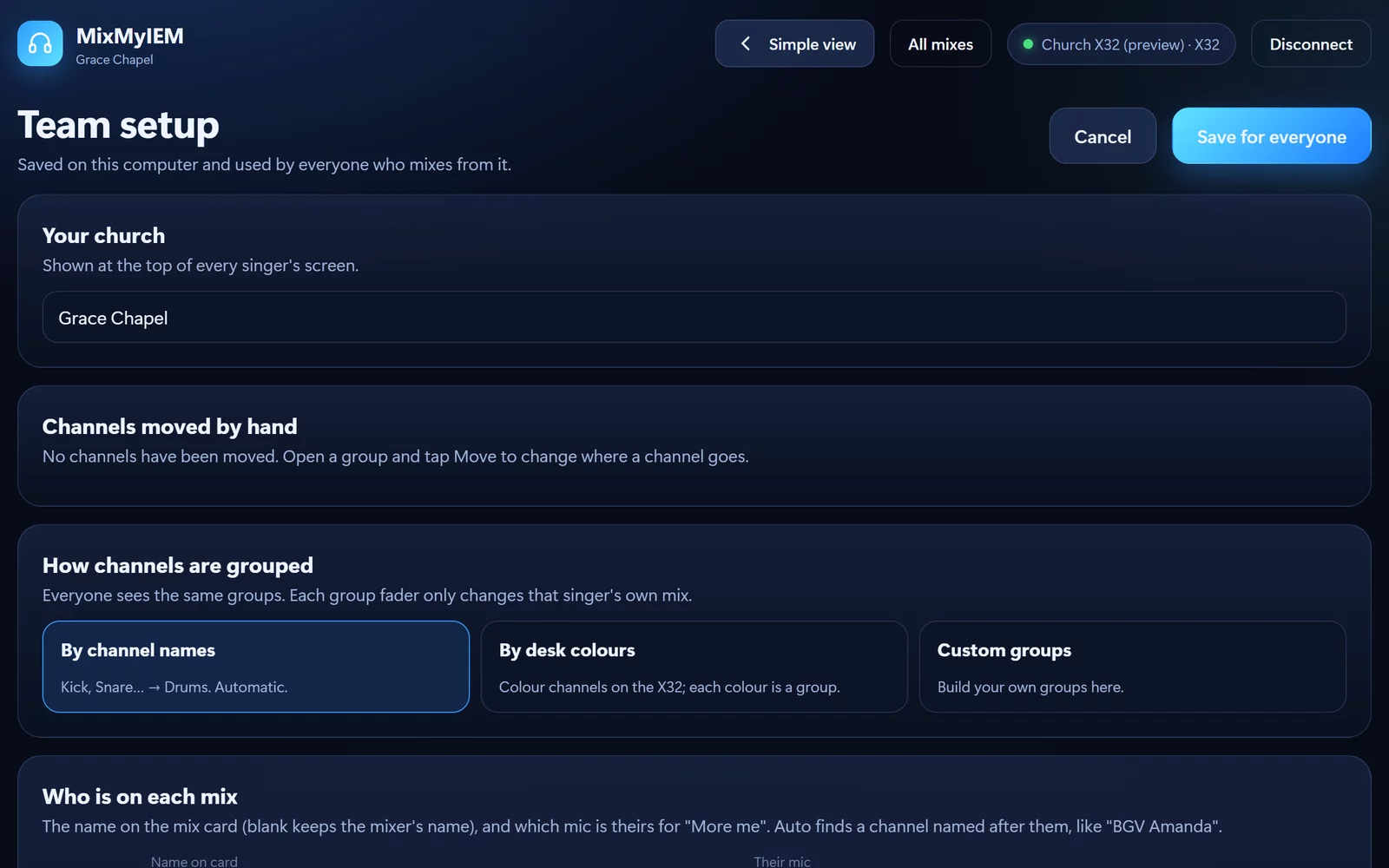
Team setup
Set It Up Once for the Whole Team
Put your church's name at the top of every screen. Group channels by their names, by the colours you already use on the desk, or build your own groups. Say whose mic is whose, so More me finds it. Save it once and everyone who mixes from that computer gets the same setup.
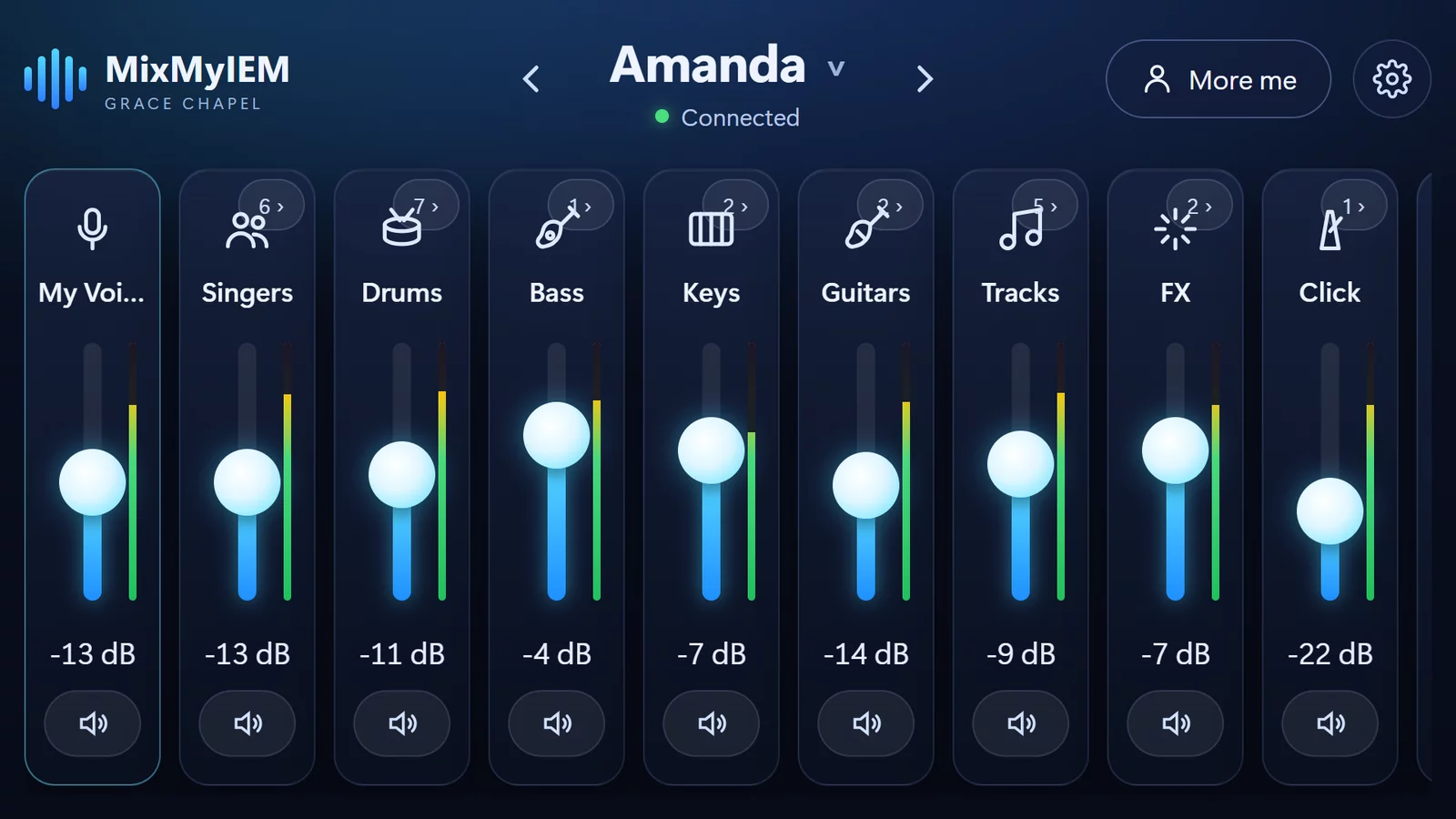
Any screen
On the Phone in Your Pocket
The same app runs on Windows and Mac today, with iPhone, iPad and Android on the way. Every control is made for a thumb, and it works on a phone on its side, a tablet on a music stand or the laptop by the desk.
It Cannot Touch the Main Mix
MixMyIEM only changes the sends to the mix you picked. The main mix, the other people's mixes and everything else on the desk stay exactly as the engineer left them. It talks to the mixer over your church network and nothing else: no account, no cloud, no adverts, and nothing about your team leaves the building.
Tech Specs
Mixers
Behringer X32 and Midas M32, any model: Full, Compact, Producer, Rack and Core.
Platforms
Windows 10 or later and macOS 11 or later today. iPhone and iPad (iOS 15 or later) and Android 8 or later are coming to the App Store and Google Play.
Mixes
Up to 16, one for each mix bus. Stereo bus pairs show as one mix.
Faders
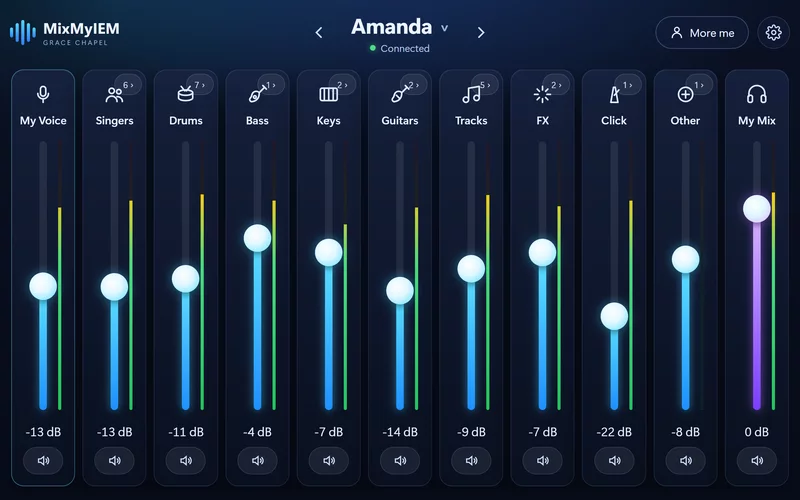
My Voice, Singers, Drums, Bass, Keys, Guitars, Tracks, FX, Click, Other and My Mix, each with a level meter. Open any group for every mic on its own.
More me
Your own mic up 6 dB with one tap, found from your mix's name.
Groups
By channel names, by desk colours, or your own. Move any channel between groups.
Network
Your device and the mixer on the same network. Talks to the mixer only, on its control port. Find my mixer looks for it on the local network. No internet.
Your data
None collected. The team setup is saved on the device it was made on.
Questions
Is it really free?
Can a singer mess up the main mix?
Which mixers does it work with?
Does it need the internet?
When is it on iPhone and Android?
Windows warned me before installing. Is that normal?
Does everyone on the team share one setup?
From people who use it
What Teams Are Saying
Be the first to leave one.
Thank you.
It goes up once I have read it, usually within a day or two.
MixMyIEM
Free
Your own in-ear mix on an X32 or M32, on Windows and Mac, with nothing to unlock. Installs through Amanorsac Hub with a free account. iPhone, iPad and Android are on the way.
Behringer, X32 and Midas M32 are trademarks of their owners. MixMyIEM is not affiliated with them.