

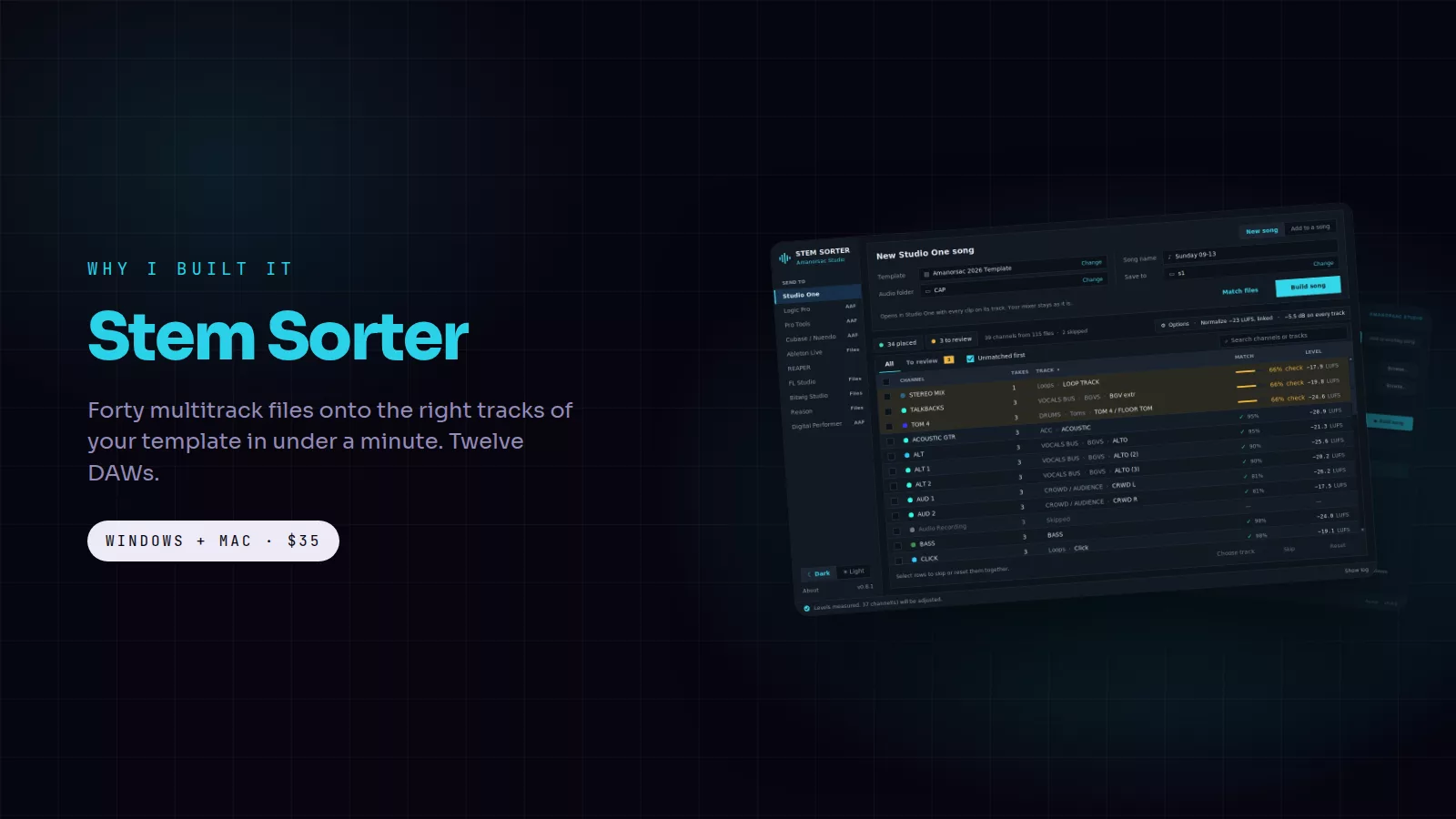
Every mix I do starts the same way. A folder lands with forty files called things like KICK #03, OVH L #03, TNR 2 #03 and SNARE DWN #03. I open my template, drag them in one at a time, find the right track for each, fix the levels, and twenty minutes later I can press play. I did that every Sunday for years, for every client and after every rehearsal. Stem Sorter is me refusing to do it one more time.
The cards in this post are free to save and share. Tap one to open it full size.
What it does
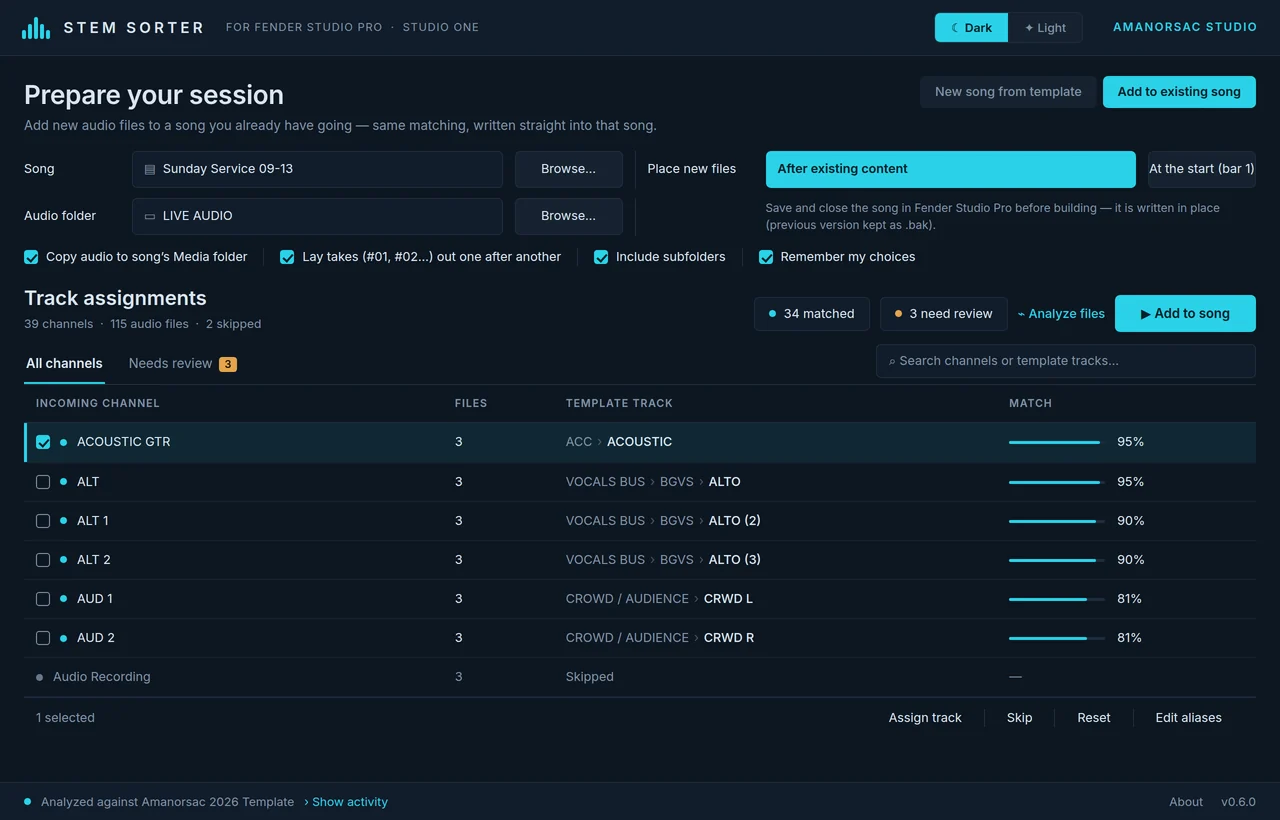
Point Stem Sorter at the folder of files and at your DAW template. It reads every file name, works out what each one is, matches it to the right track in your template, and builds the session. Kick on the kick track, overheads on the overheads, tenor 2 on tenor 2. The few files it is not sure about wait at the top of the list in amber, so you check three rows instead of forty. Then you press Build and open a session that is ready to play.
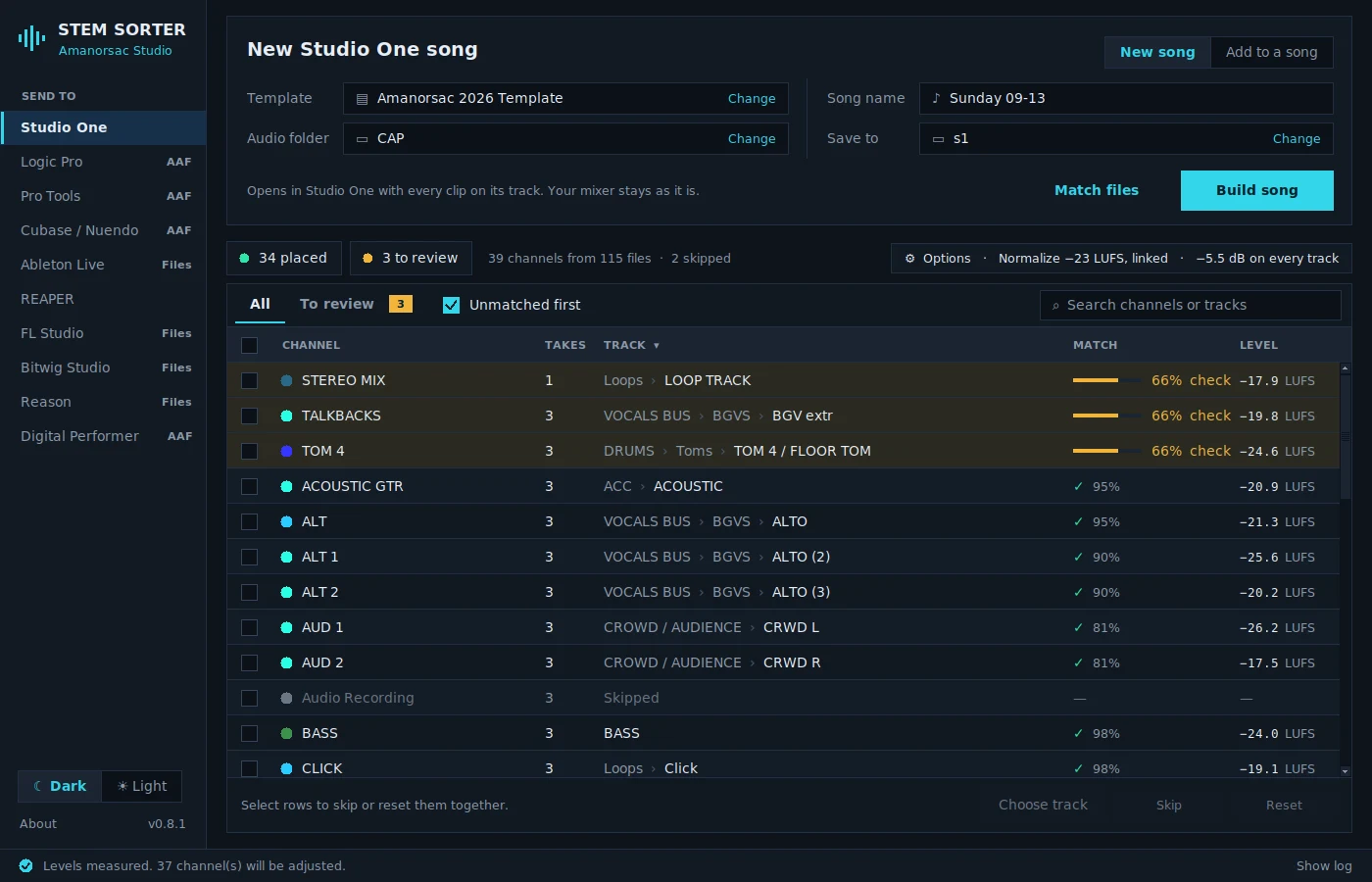
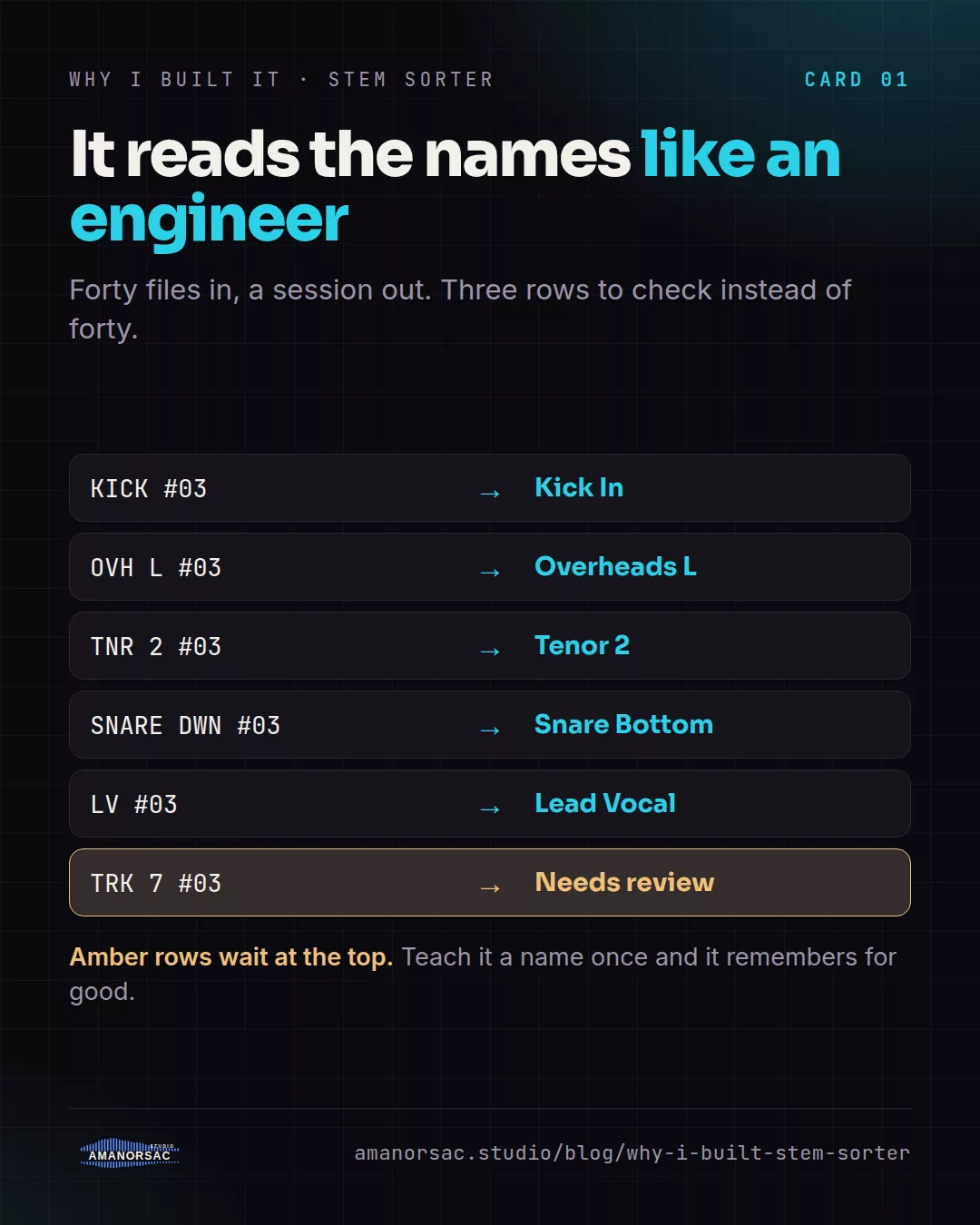
It knows how engineers name things. OH, OVH, Overheads and Over L are all overheads. LV, Lead Vox and WL are all the lead vocal. When your engineer uses a name it has never seen, you teach it once and it remembers for good.
What you get in your DAW
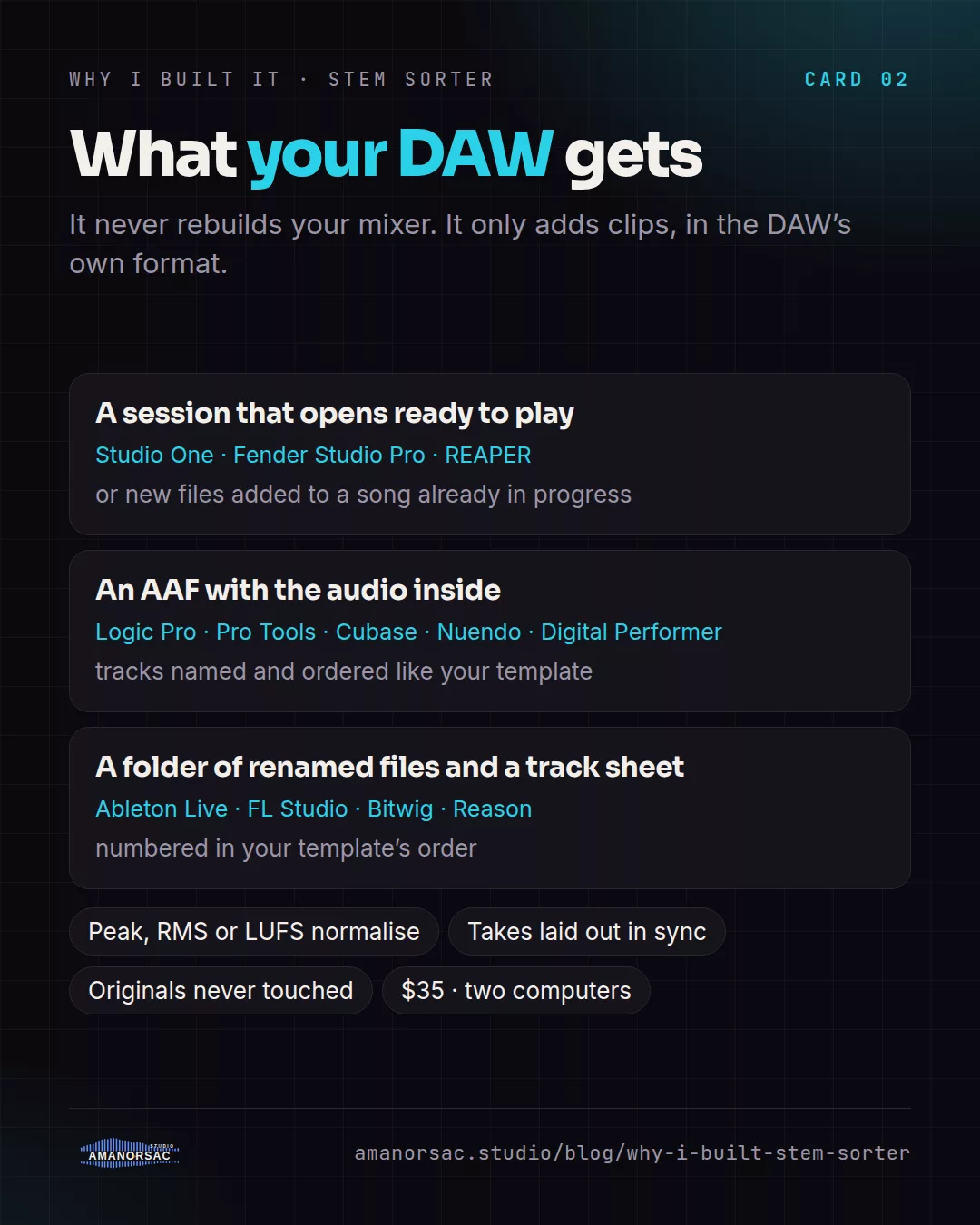
Studio One, Fender Studio Pro and REAPER get a session that opens ready to play, or new files added to a song already in progress. Logic Pro, Pro Tools, Cubase, Nuendo and Digital Performer get an AAF with the audio inside and the tracks named and ordered like your template. Ableton Live, FL Studio, Bitwig and Reason get a folder of renamed files, numbered in your template's order, with a track sheet.
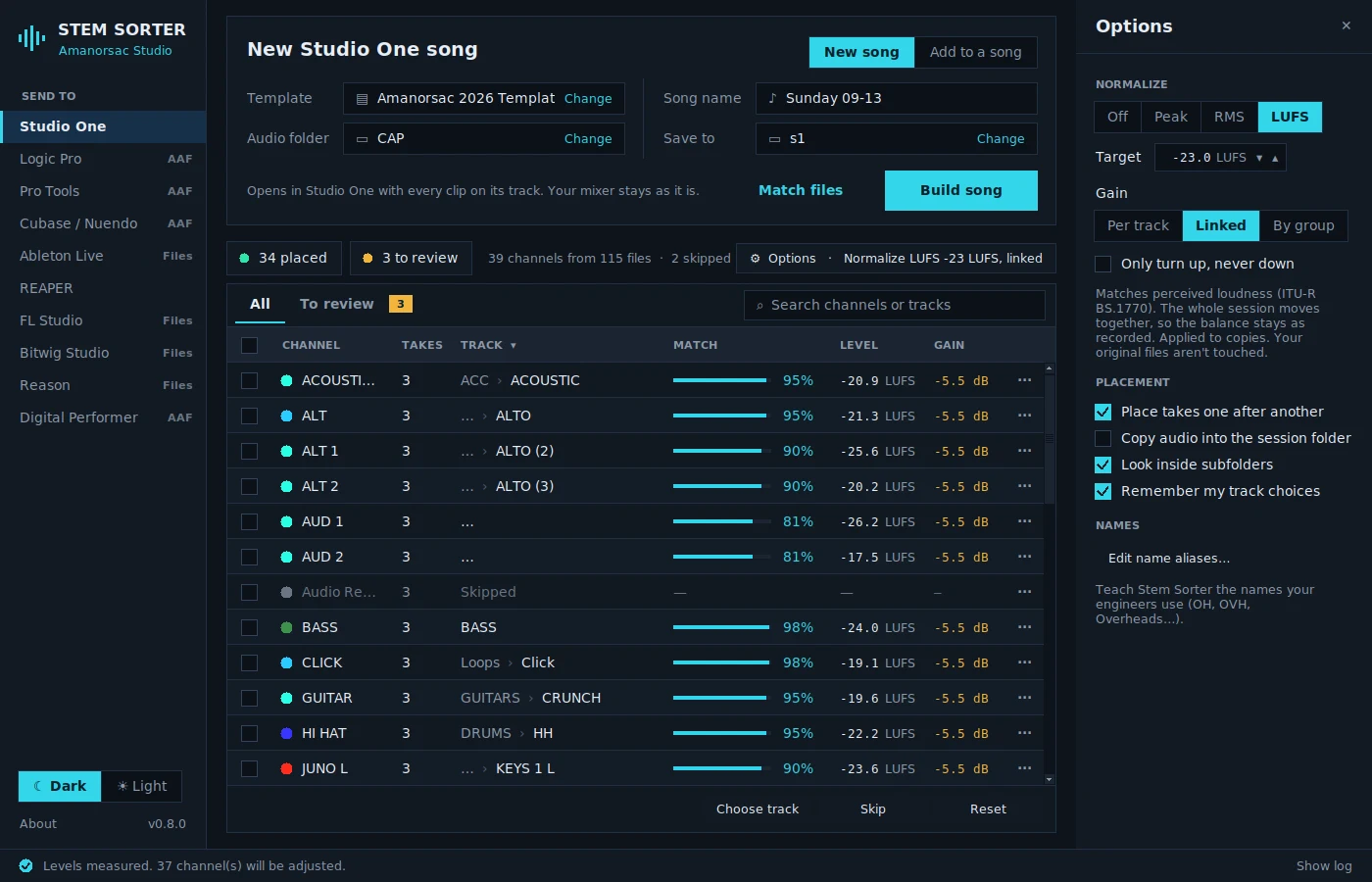
While it sorts, it can normalise to a target by peak, RMS or LUFS, per track, linked across the session so the engineer's balance survives, or by group. Your original files are never touched.
Why it is safe
Stem Sorter never rebuilds your mixer and never creates or deletes tracks. It only adds clips, in the DAW's own format. That is why the sessions it builds open cleanly, and it is why the advice is to keep a few spare tracks in each section of your template, named SPARE 1 to SPARE 4. A channel with nowhere else to go lands on a spare instead of being lost.
Built for live recordings
It came out of mixing church services and live recordings, where the same rig sends the same forty channels every week and every take arrives as #01, #02, #03. Stem Sorter lays the takes out one after another so every channel stays in sync across the whole service, and every choice you confirm is saved for that template. The next service from the same rig sorts itself.
What else is out there
Session converters like AATranslator and WG DAW Converter move a finished session from one DAW to another. That is a different job: they need a session to start from, and they are not matching a folder of raw files to a template. Some DAWs can import track data from another session of their own kind. The everyday answer for a folder of multitracks is still to drag by hand. I could not find a tool that reads the names, places the files on a template, lays out takes and normalises on the way in, so I wrote one.
Who it is for
Mix engineers who receive multitracks from other people. Churches that record every service through the same console. Producers who run the same template for every client. Anyone who has ever dragged forty files one at a time and thought, there must be a better way.
Price and licence
$35, once. One licence for two computers, the studio machine and the laptop. Windows 10 and 11, macOS 11 and later on Apple silicon and Intel. The Windows installer is Authenticode signed and the Mac app is notarized by Apple. A year of updates is included and the version you have keeps working after that.
Written by Stephen Amanor Sackey — producer, mix engineer and music director, Virginia. More about the studio.