

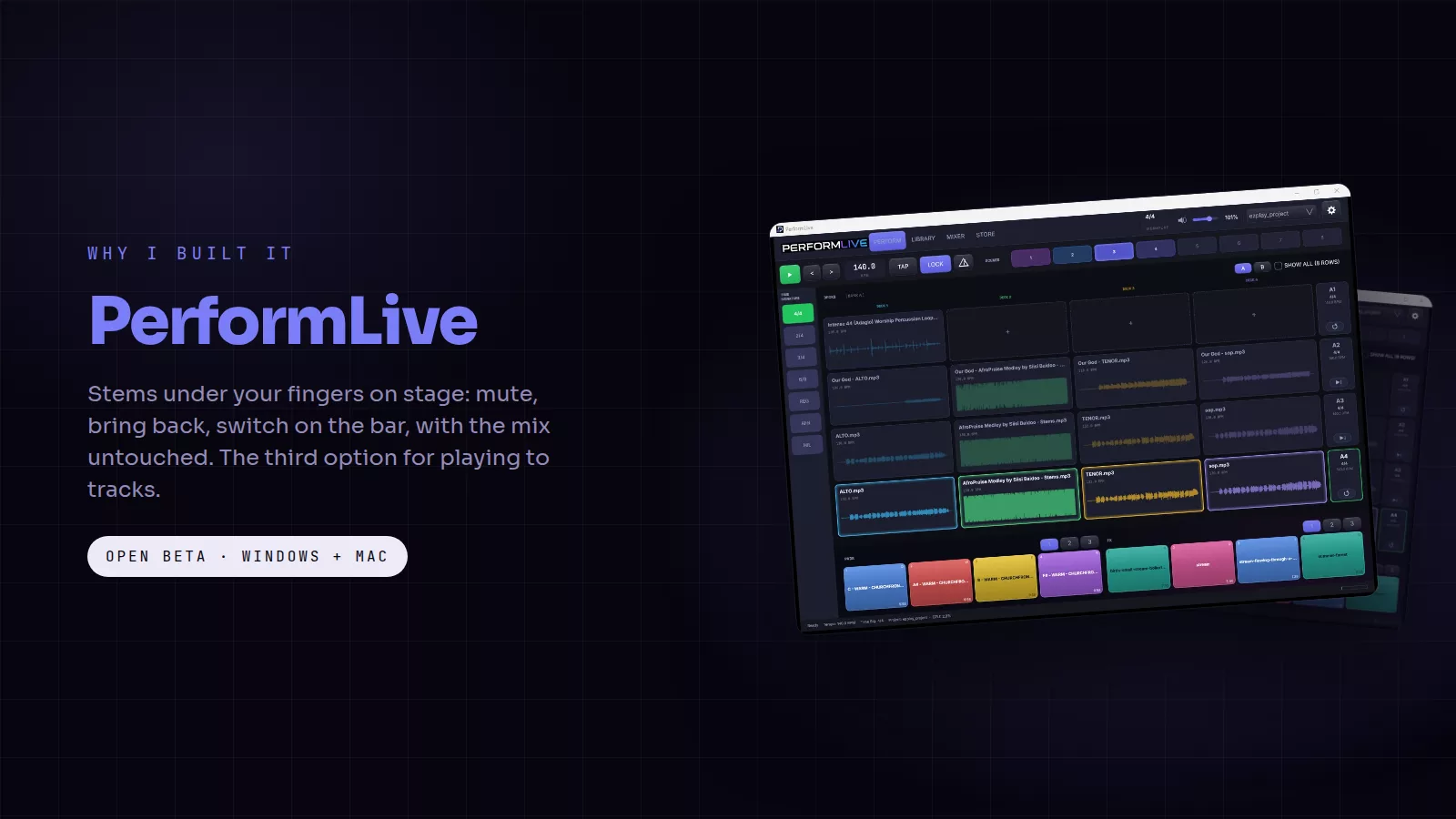
Anyone who performs with backing tracks knows the choice. Run a full DAW on stage, which is powerful and one wrong click from silence. Or play a stereo bounce, which is safe and cannot change its mind when the moment changes. I have done both on a Sunday, and I built PerformLive because I wanted the third option.
The cards in this post are free to save and share. Tap one to open it full size.
What it does
PerformLive is a multitrack playback and stem performance instrument for the stage. You load the stems your producer exported and lay them out on four decks. On stage, every stem can be muted or brought back while the song plays. Trigger a new row and the switch waits for the next bar, so transitions land musically. Twelve colour-coded pads sit under your fingers for atmosphere and one-shots, and each glows for as long as it sounds, so when a prayer runs long the room never falls silent.
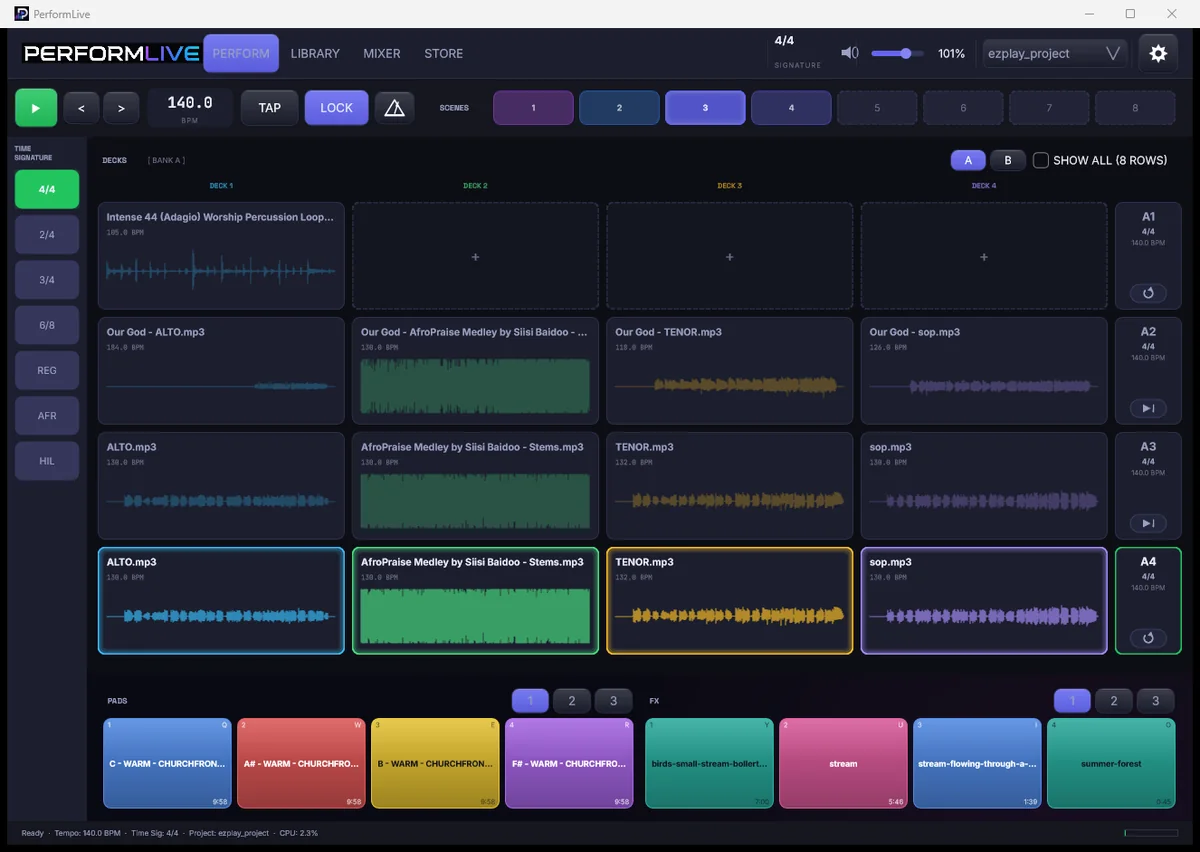
Scenes recall a whole song in one tap: the row, the stems, the tempo and the pads. The editor snaps to the bar, down to 1/32, with start and end markers and up to 64x zoom. There is a library of stems tagged with tempo and key, a mixer with a fader and its own output routing for every channel, and MIDI Learn for rows, pads and effects, including foot pedals.
The problem it solves
A breakdown, an a cappella chorus or a moment of just the keys should be a decision you can make live, not a separate bounce you prepared the week before. And the person making it should be able to do it on a touchscreen, with a wrong touch costing nothing.
Built to be trusted on a Sunday
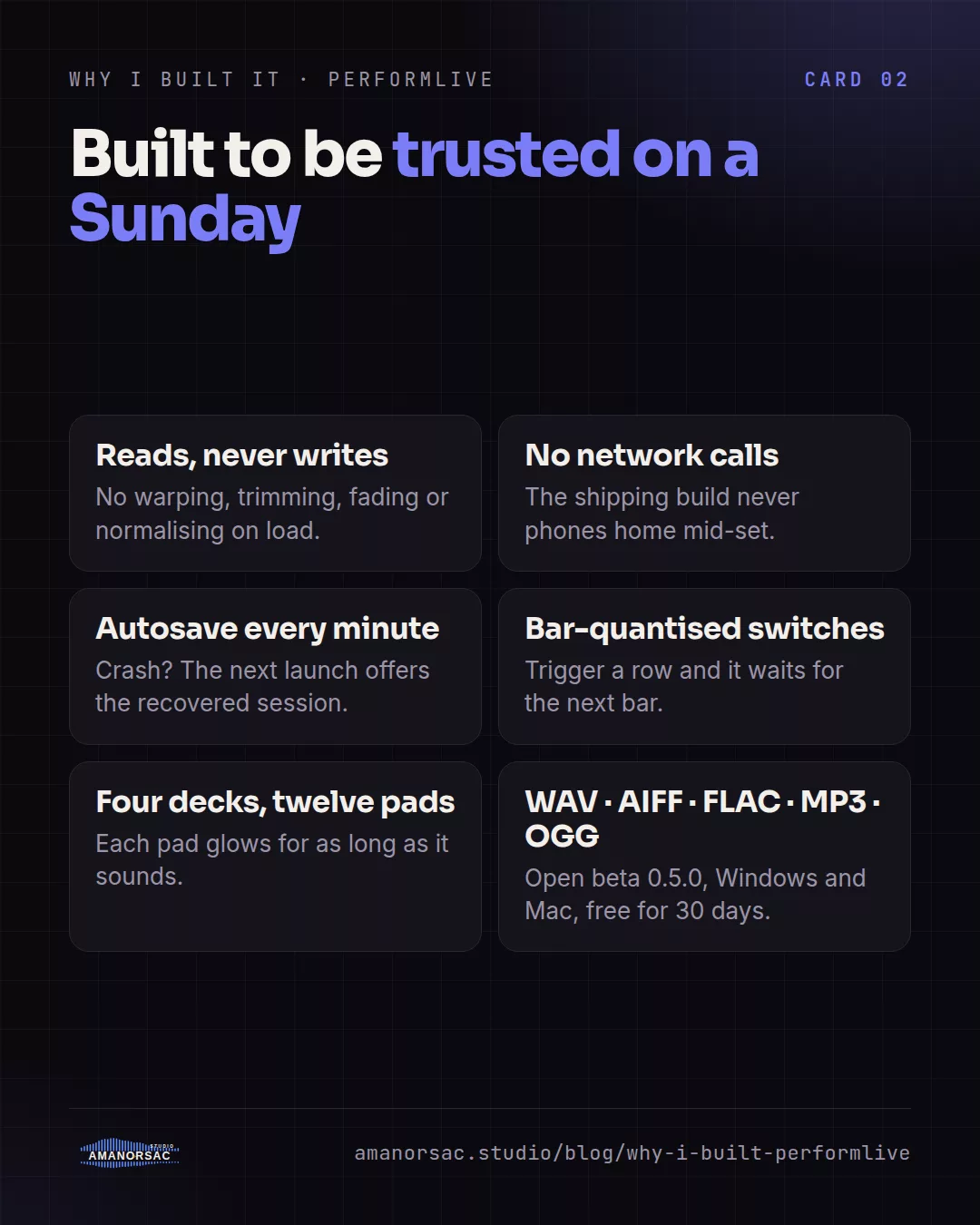
PerformLive reads your files and never modifies them. There is no warping, trimming, fading or normalising on load; time stretching only happens if you set a row tempo or turn on LOCK. The shipping build makes no network requests, so nothing phones home mid-set. Autosave runs every minute, and if the computer crashes the next launch offers you the recovered session. It reads WAV, AIFF, FLAC, MP3 and OGG.
What else is out there
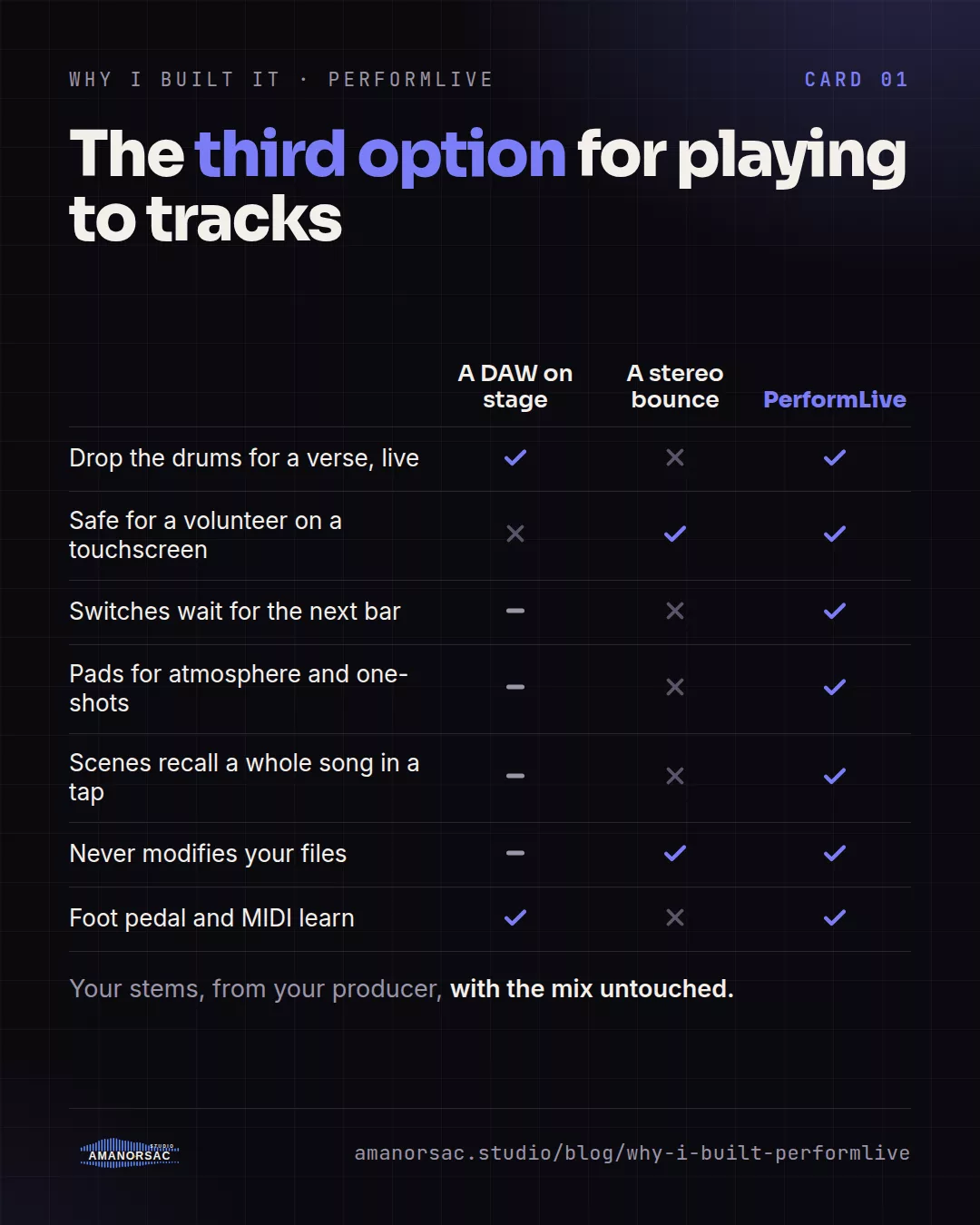
A DAW on stage gives you per-stem control, but it is mouse-first, every control is live, and a volunteer rarely runs one. A stereo track is safe and a volunteer can run it, but it cannot drop the drums for a verse. Track-playback apps from the big worship catalogues are built around their own song libraries and, for the main ones, a subscription; they are a good fit if you use that catalogue. PerformLive is for the team that has its own stems, from its own producer, and wants them under its fingers with the mix untouched.
Who it is for
Worship teams playing to tracks. Solo artists and duos who perform with stems. Churches whose tracks are made in-house. Anyone who wants a volunteer to be able to run the set from a touchscreen.
Where it is
PerformLive is in open beta, version 0.5.0, on Windows and on Mac for Apple silicon and Intel. It is free for 30 days from the day you claim your key through Amanorsac Hub, and the thirty days start the day you claim it, not today. Tell me how it goes on your stage; the beta exists to find out.
Written by Stephen Amanor Sackey — producer, mix engineer and music director, Virginia. More about the studio.