
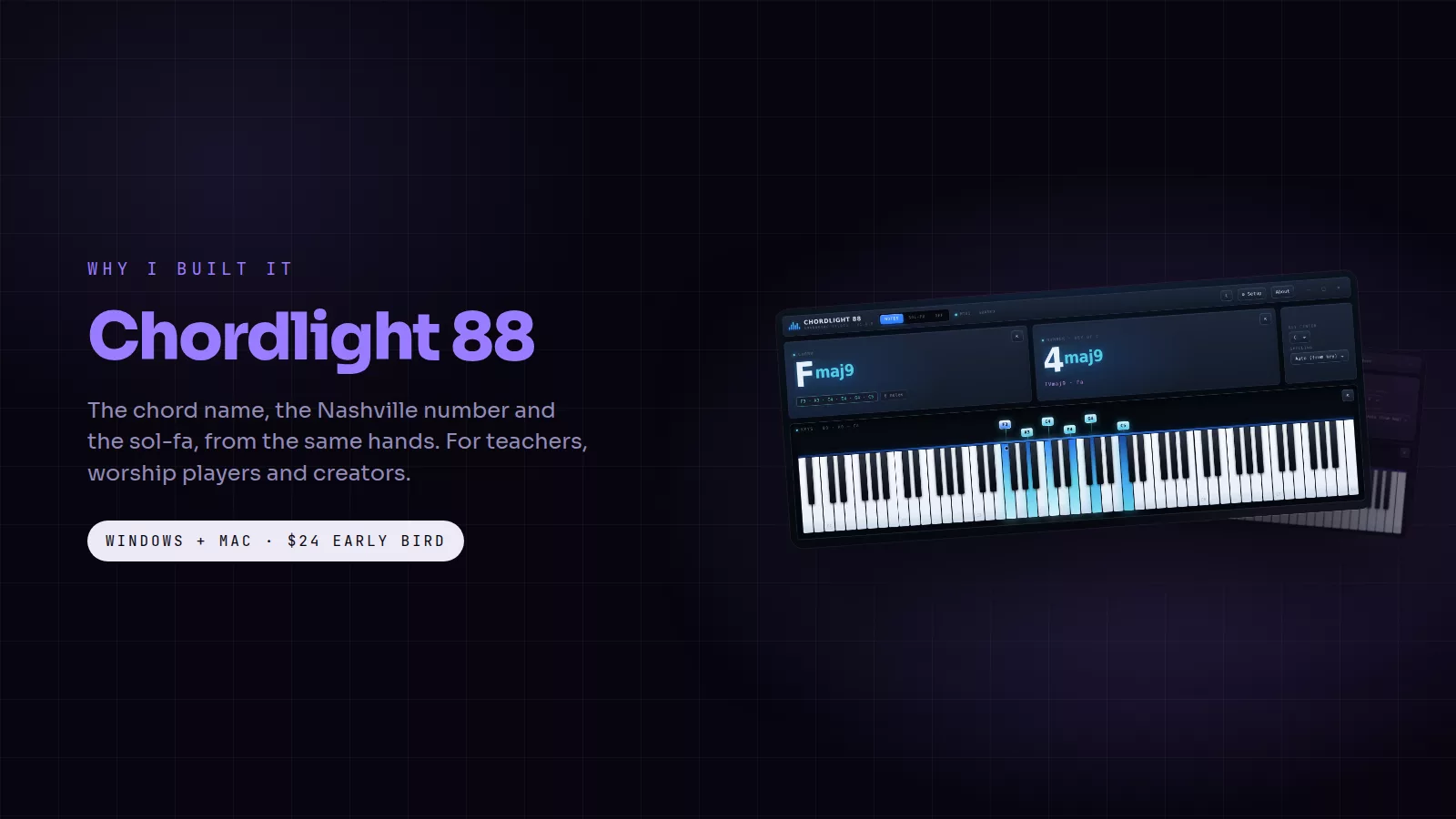
I built Chordlight 88 because I kept getting the same question from the side of the stage: "What was that chord?" I play keys for a living, I direct worship teams, and I teach. In all three rooms, the thing people needed was to see what my hands were doing, in the language they read. Letters for some, Nashville numbers for the worship players, sol-fa for the choir. No app did all three, and the ones that did one of them grabbed my MIDI port and stopped my DAW from hearing the keyboard.
So I built the one I needed. Here is what it is, what it is for, and how it compares to what else is out there.
The cards in this post are free to save and share. Tap one to open it full size.
What it does
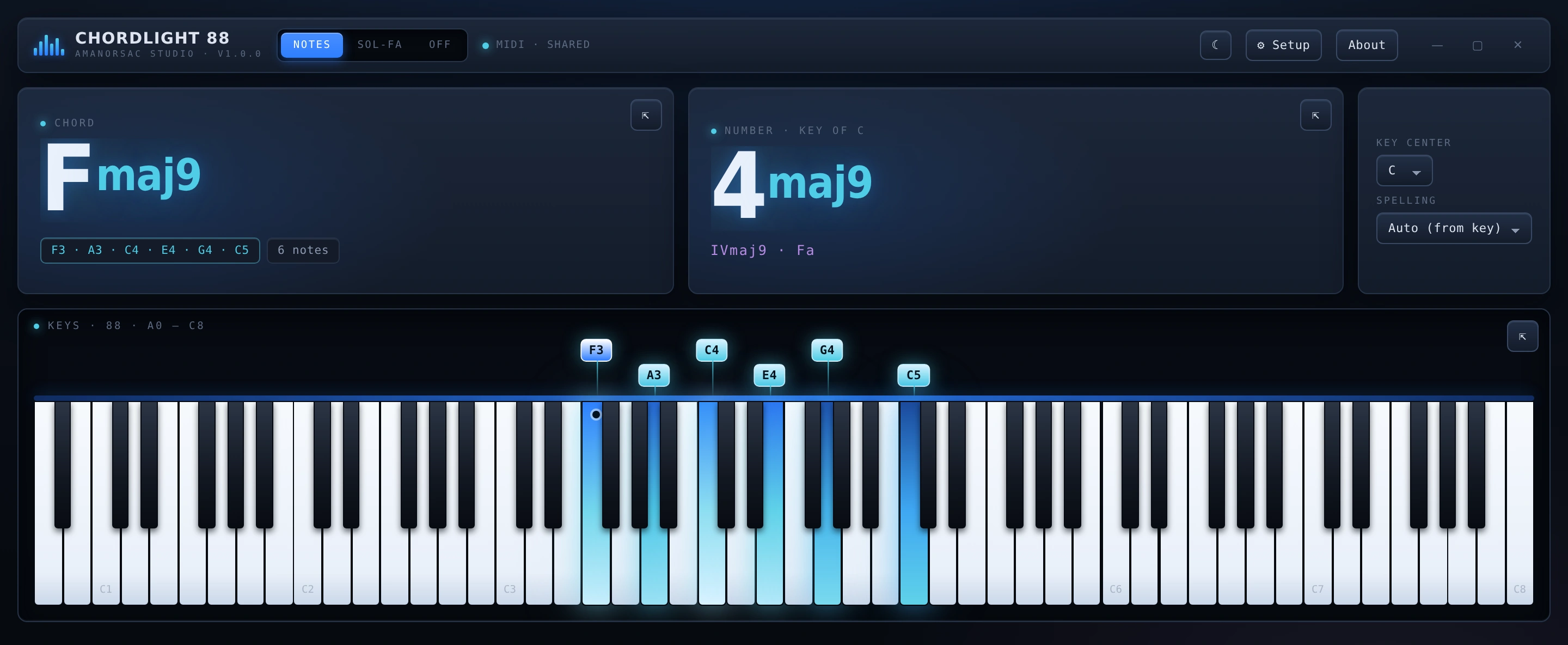
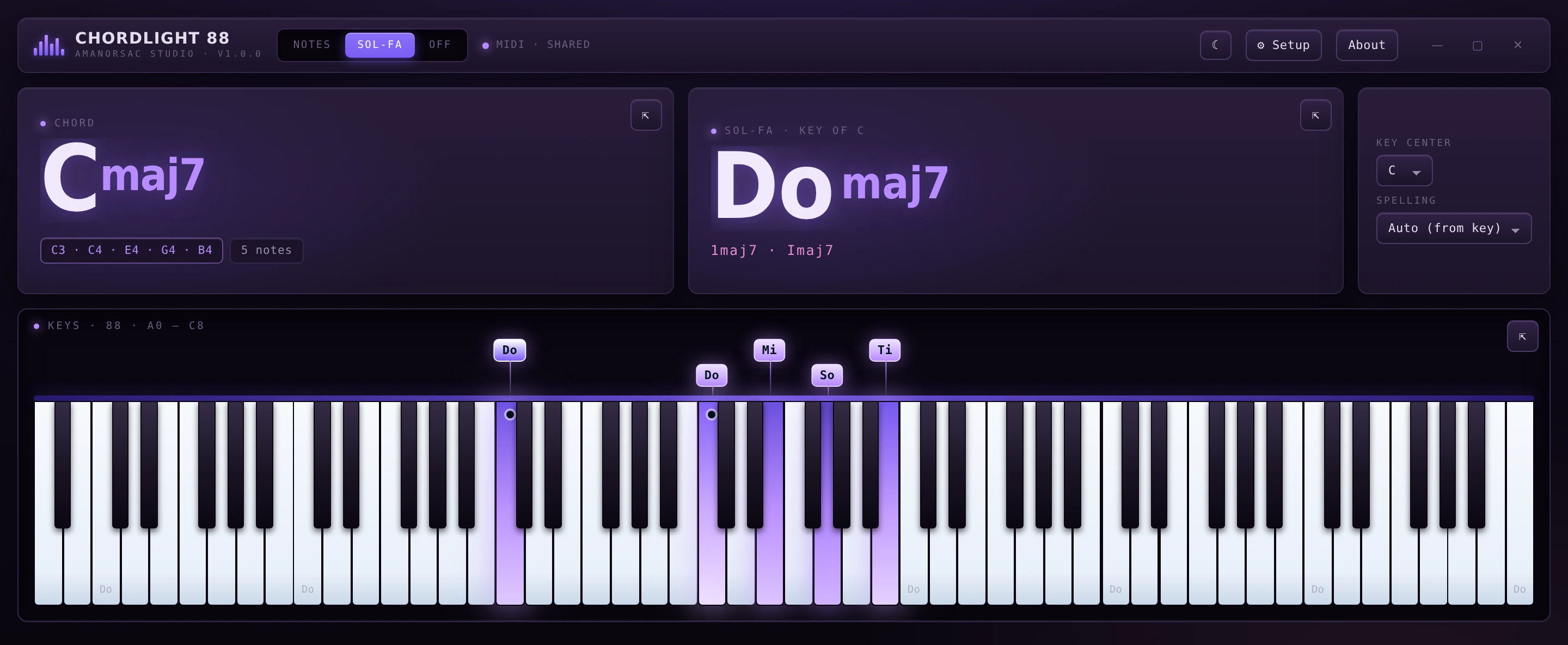
Chordlight 88 is a desktop app for Windows and Mac. Plug in any MIDI keyboard, and it shows the chord name, the Nashville number in the key of the song, the Roman numeral and the sol-fa syllable the moment you play, with all 88 keys lit on screen. Keys glow brighter the harder you hit them. Hold the pedal and the ringing notes stay lit.
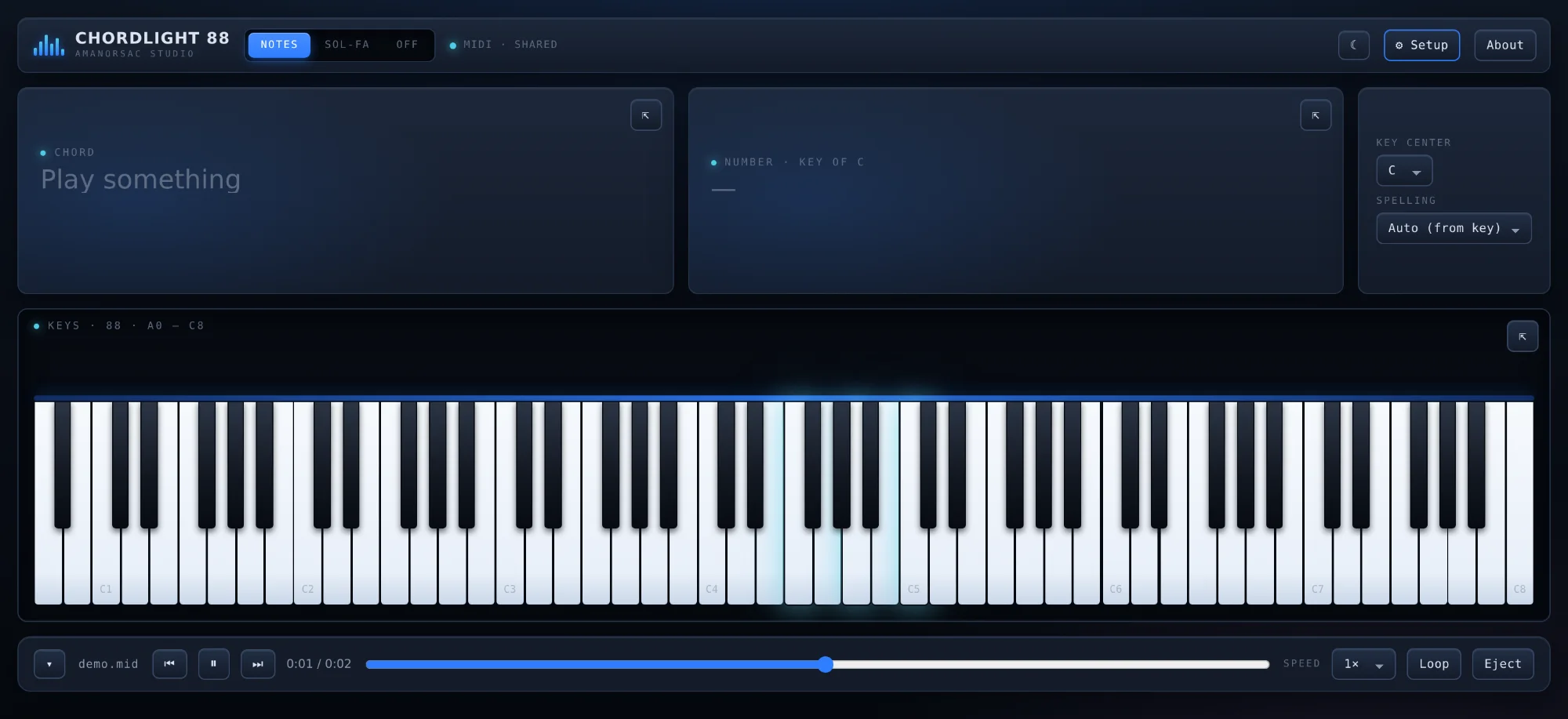
Version 2 added the part teachers asked for: press Rec and it saves the take as a MIDI file, a 24-bit WAV, or a single .chordlight file that reopens with the lights and sound in sync. Press Video and it draws a 1080p lesson clip itself, or 4K at Best quality, with your title, your backdrop and the last four chords climbing away from the keys. It does not record your screen, so the clip looks clean whatever else is open.
Since 2.0.6 it also makes sound of its own: three sampled instruments, Grand 1, SP Natural and Soft EP 1, so a lesson clip can carry just the piano and nothing of the room.
The problem it solves
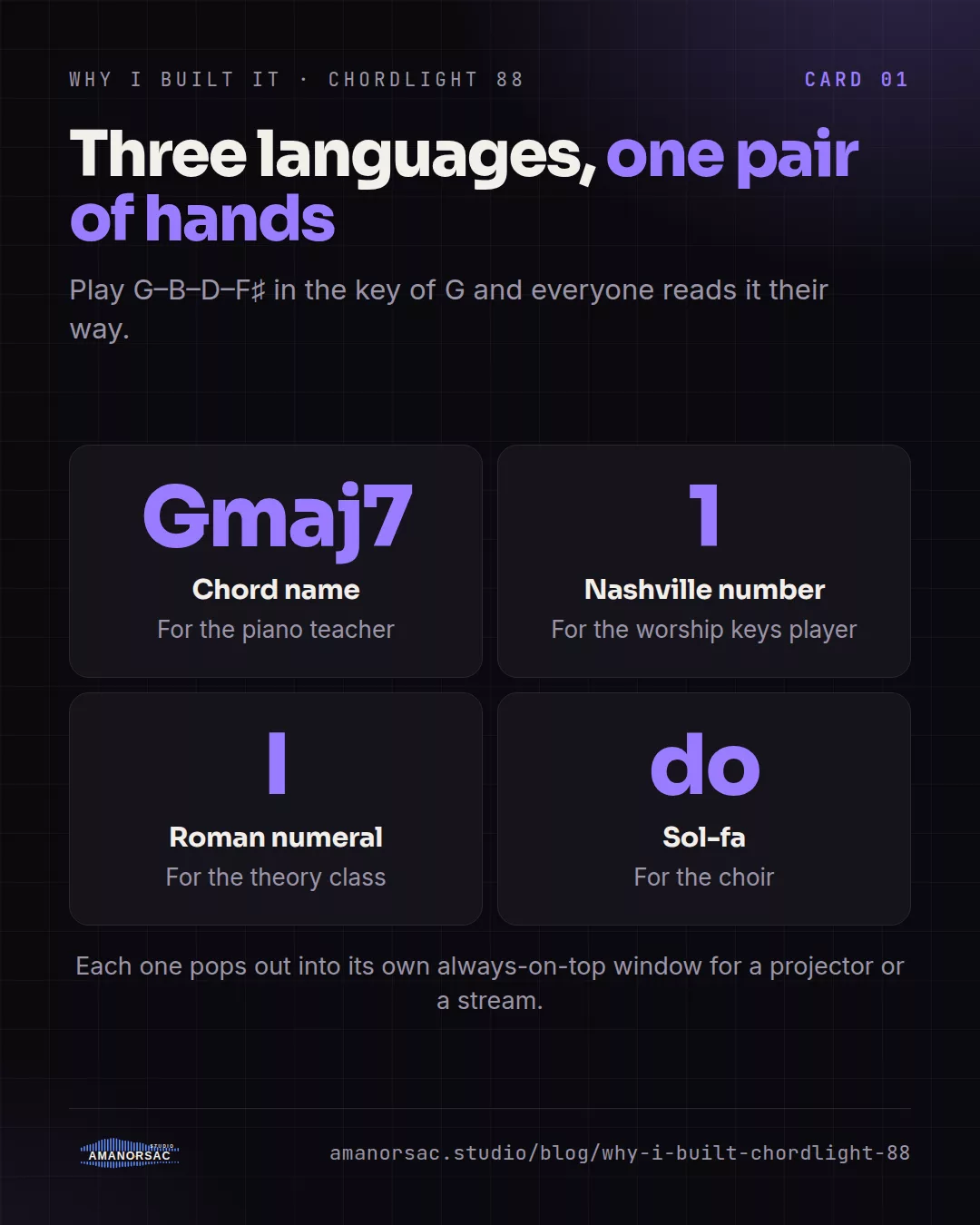
Three people, three languages. A piano teacher wants the chord name on a second screen so the student sees it appear. A worship keys player wants the number in the key of the song, because that is what the chart says. A choir director wants sol-fa, because that is how the choir learned. Chordlight reads all three from the same hands, and each one can pop out into its own always-on-top window for a projector, a second screen or a stream overlay.
And the port problem. Most chord displays on Windows open the MIDI port exclusively, so the moment they start, Kontakt goes quiet and your DAW stops receiving. Chordlight never opens a port exclusively. It listens alongside everything else, on every input at once if you like, and a keyboard plugged in mid-session shows up without a restart.
What else is out there
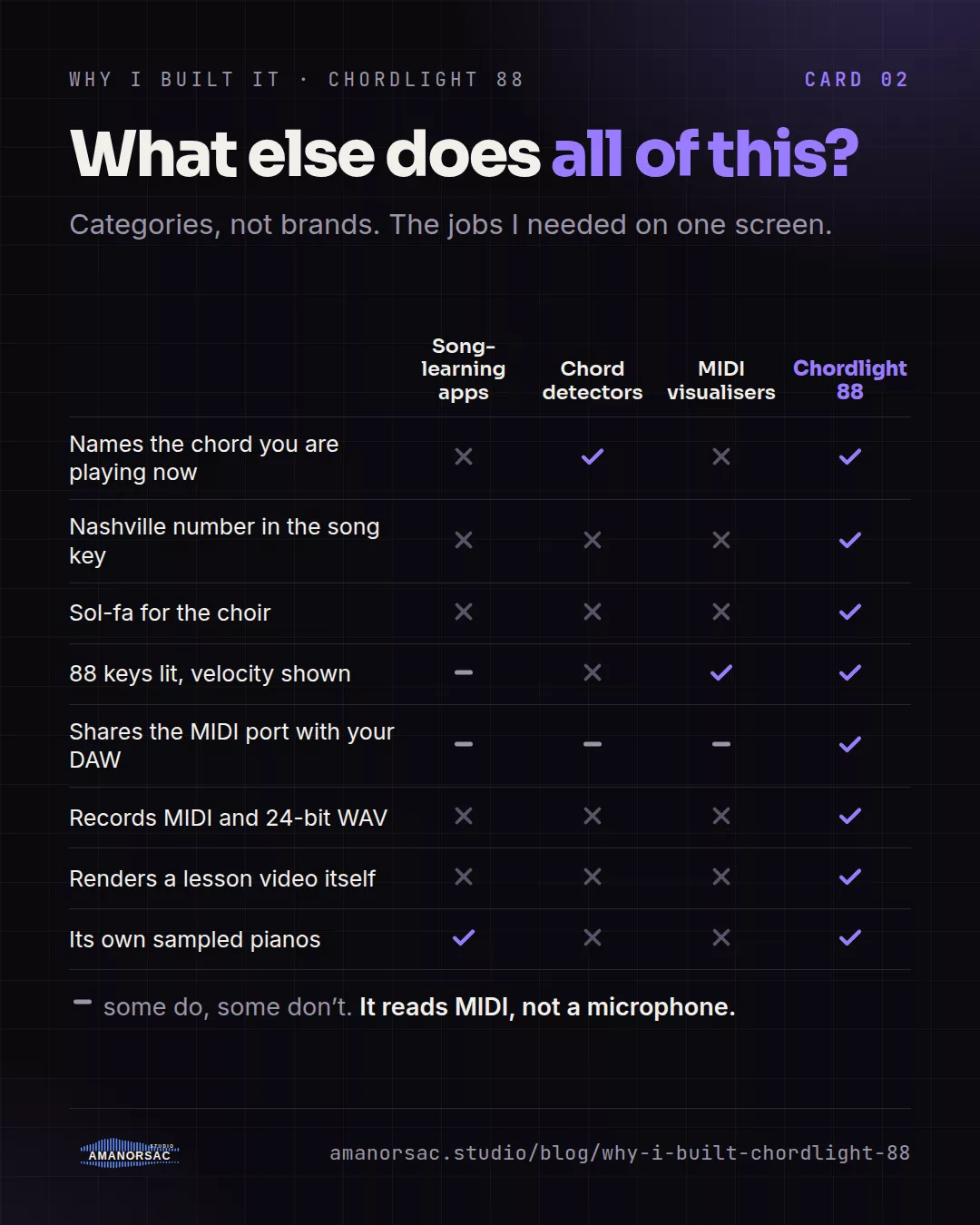
Apps like Synthesia are built for learning songs: falling notes come down the screen and you play along. They are good at that, and they are not a readout of what you are improvising right now. Chord-detector utilities name a chord in letters, usually without numbers or sol-fa, and usually without a lit keybed you'd put on a projector. MIDI visualisers built for streamers draw pretty notes but do not teach, and none of the ones I tried would also record the take and render a lesson video.
Chordlight is the one that sits beside a teacher, a worship player and a content creator at the same time. That is a narrow job, and it does it completely.
Who it is for
Piano teachers, who get the chord and the number appearing as they play and a clip that becomes the hand-out. Worship and gigging keys players, reading numbers from a small pop-out window. Content creators, who get a branded clip with their picture or video behind the keys, or chroma green for the edit. Self-taught players, who hear a voicing they like and finally see what it is called.
The honest limits
It reads MIDI, not audio. If you want it to hear a piano through a microphone and name the chord, that is not what it does. It is a desktop app, not a plug-in and not a phone app. The one sound source that is Windows-only today is System, which records whatever else the computer is playing; that comes to the Mac in 2.1.
Price and licence
$24 while the version 2 early bird lasts, then $48. One licence covers two computers, and you move it yourself. It activates once and then works offline for 30 days between check-ins. There is no account inside the app, no analytics and no telemetry. Everyone who bought version 1 got version 2 free.
Written by Stephen Amanor Sackey — producer, mix engineer and music director, Virginia. More about the studio.