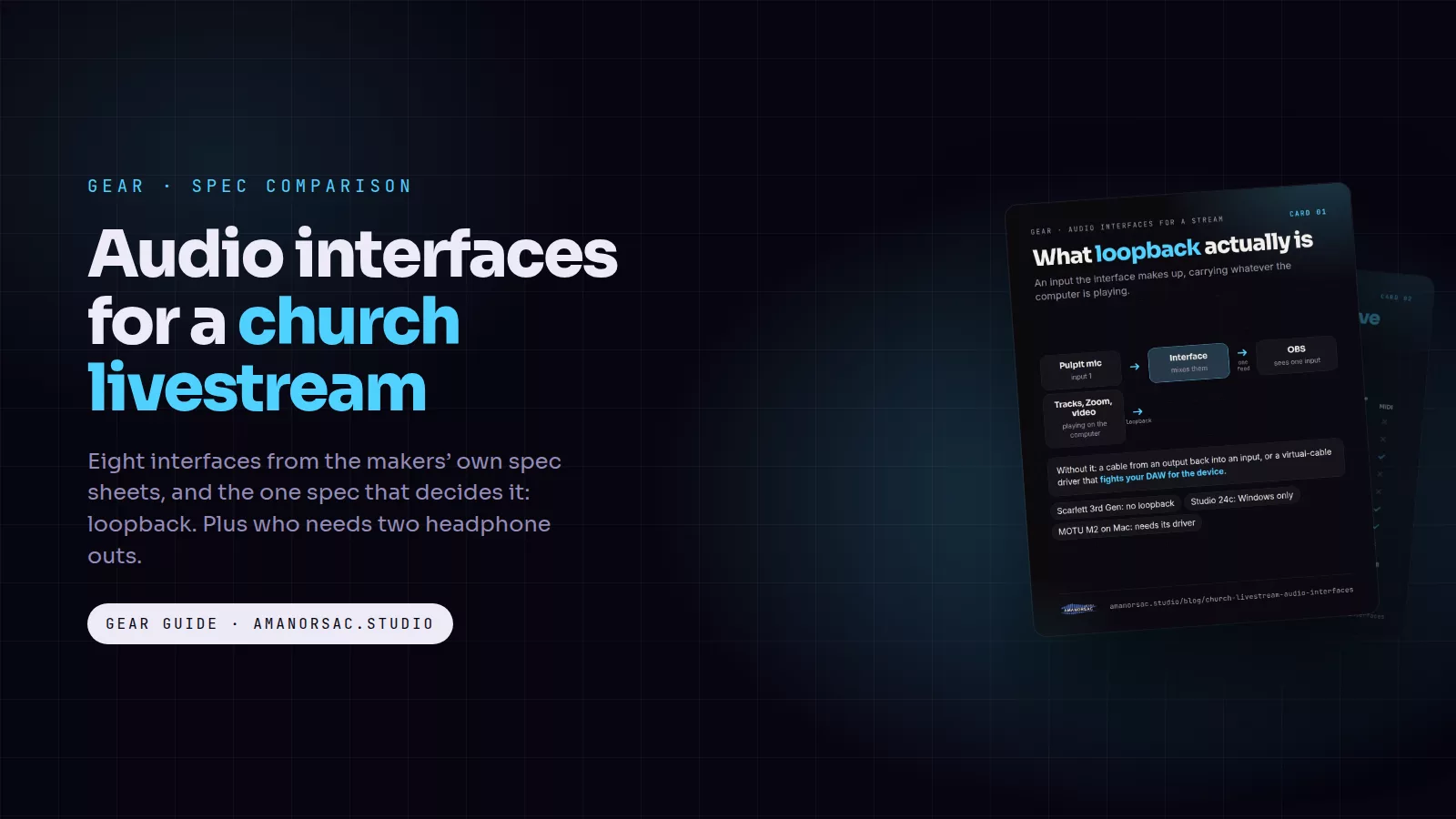
Every few weeks someone writes to me with the same question in different words: "Which audio interface should the church buy for the stream?" Usually a volunteer has been handed a laptop, OBS and a hundred-dollar budget that turned into three hundred, and the box they bought does not do the one thing they needed. This post is the answer I send back, with the specs checked against each maker's own pages.
The cards in this post are free to save and share. Tap one to open it full size.
The one spec that matters for a stream
It is not the preamp. It is not 192 kHz. It is loopback.
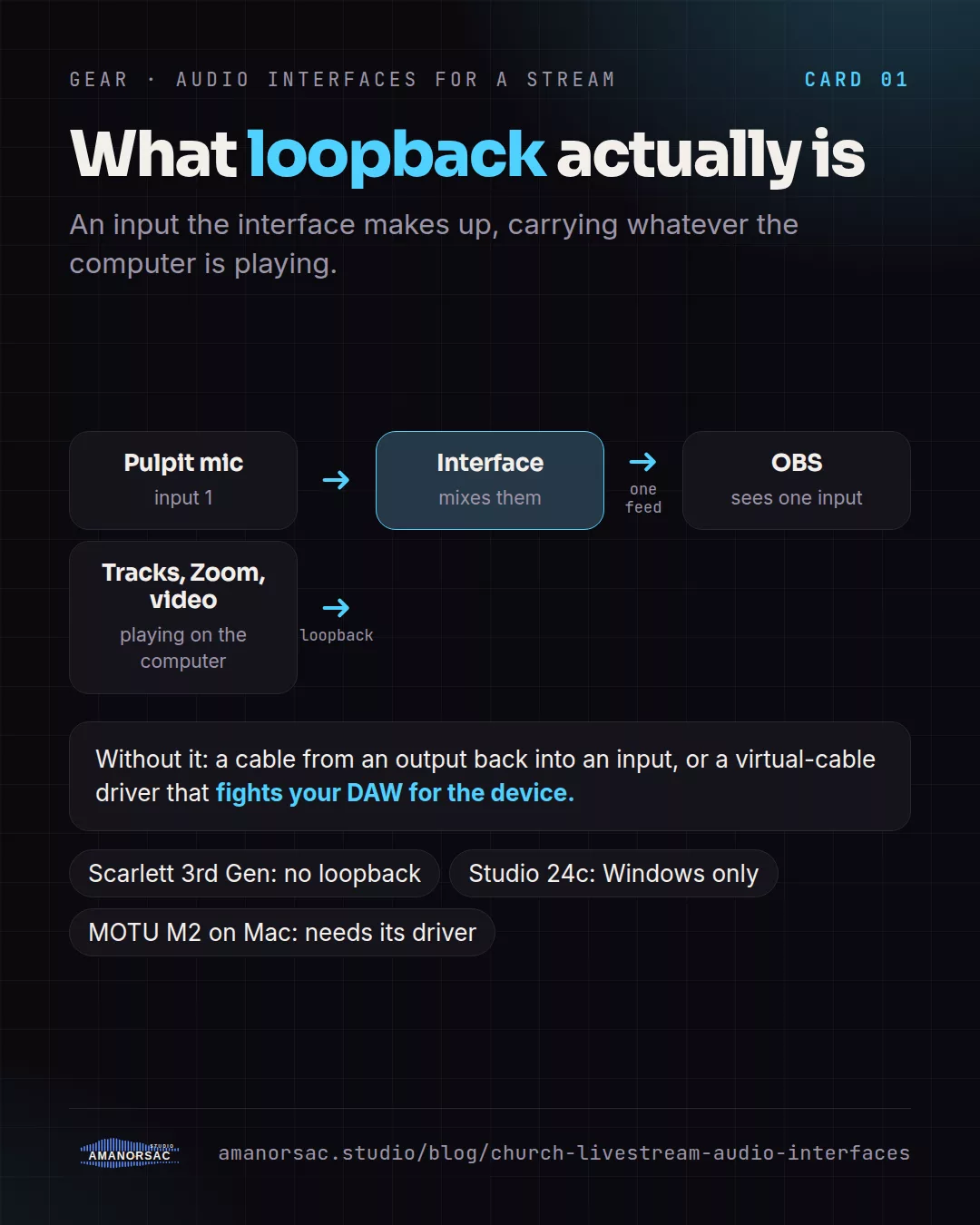
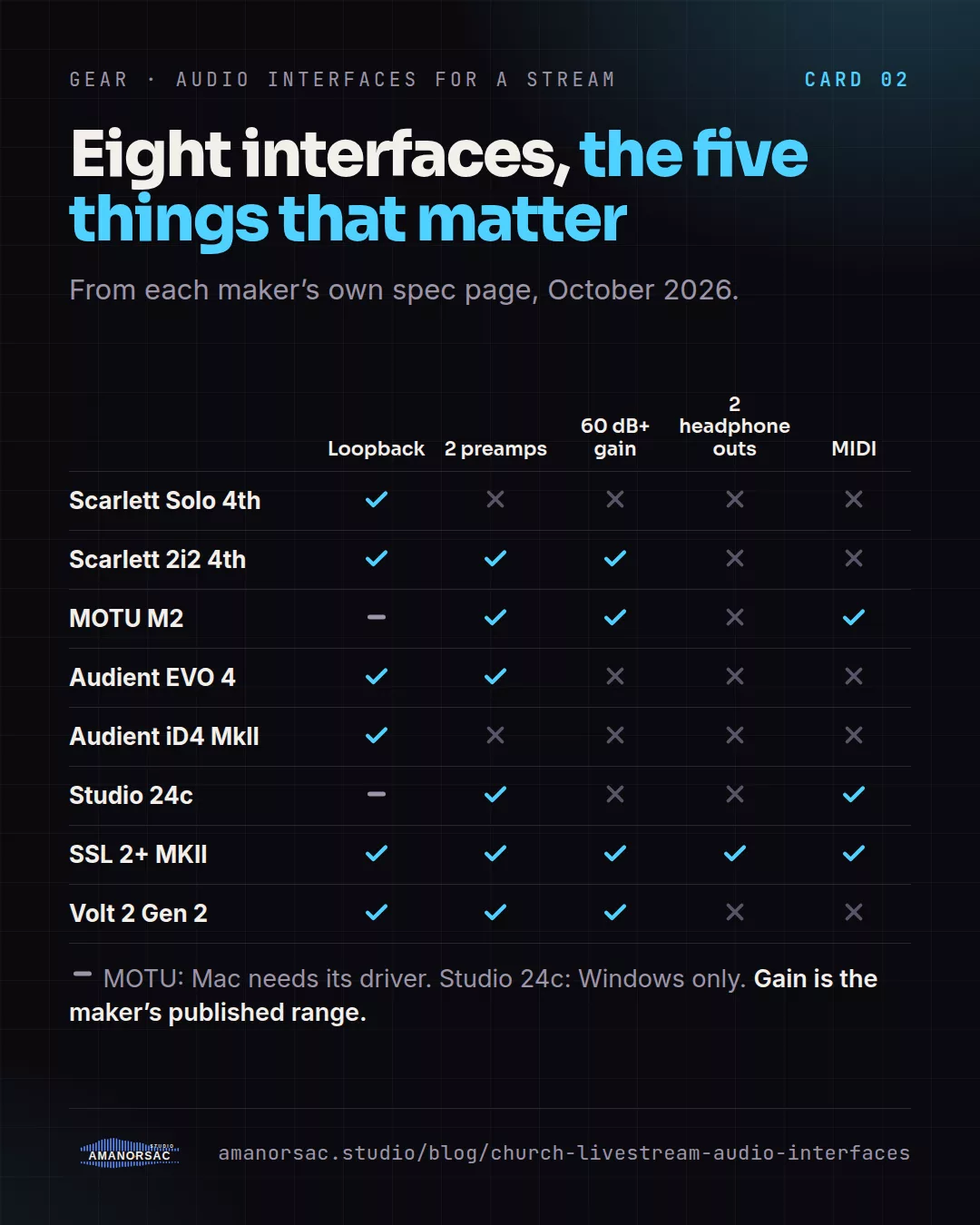
Loopback is an input the interface makes up: it takes whatever the computer is playing, the backing tracks, the Zoom guest, the video clip, and feeds it back in as if it were a microphone. OBS can only record what it sees as an input, so without loopback you end up with a cable running from an output back into an input, or a free virtual-cable driver that fights your DAW for the device. With loopback, the pastor's lapel mic and the walk-in music arrive in OBS together, in sync, with nothing patched.
Three traps to know before you read the table:
- The older Scarlett 3rd Gen Solo and 2i2 do not have loopback. Only the 4th Gen does. A lot of second-hand listings are 3rd Gen.
- The PreSonus Studio 24c has loopback on Windows only. On a Mac there is none.
- The MOTU M2 has loopback on a Mac only once you install MOTU's optional driver. Plugged in bare, it is class-compliant and the loopback channels are not there.
The second spec: a second headphone output
On a Sunday the operator needs to hear the stream mix and the person on the microphone often needs to hear something else. Most small interfaces have one headphone jack, which means one of you gets a splitter and both of you get the same mix. Only one interface in this group has two independent headphone outputs with their own volume: the SSL 2+ MKII. If a pastor, a translator or a guest singer ever sits at your desk, that is the difference.
The specs side by side
Everything below comes from the maker's product page or user guide. Where a maker does not publish a figure, I say so rather than copy a retailer.
- Focusrite Scarlett Solo 4th Gen. One mic preamp with 57 dB of gain, one instrument input, one headphone out, no MIDI. 24-bit/192 kHz. Loopback yes. A quirk worth knowing: the mic is on input 2, so an app that only takes the first input needs "Combine Input 1 and Input 2" switched on in Focusrite Control 2.
- Focusrite Scarlett 2i2 4th Gen. Two preamps with 69 dB of gain, the most in this group, which is why it is the one I'd pick for a quiet dynamic mic on a pulpit. One headphone out, no MIDI, loopback yes, and Control 2 can send the direct-monitor mix into the loopback so the stream hears exactly what you hear.
- MOTU M2. Two preamps with 60 dB of gain and a measured EIN of −129 dBu, a big LCD meter on the front, MIDI in and out, RCA outs for a cheap powered speaker, and loopback with a "Loopback Mix" channel that combines the computer's audio and your live inputs in one feed, which is exactly what OBS wants. The catch is the Mac driver mentioned above. MOTU does not print a bit depth on its spec page, so I will not either.
- Audient EVO 4. Two preamps with 58 dB of gain and a one-button Smartgain that sets levels for you, which volunteers love. Loopback yes, with its own loopback mixer. Tops out at 24-bit/96 kHz, which is more than a stream needs. Audient's own OBS guide notes that OBS on macOS cannot see the loopback inputs directly, so Mac users need their workaround.
- Audient iD4 MkII. One console-grade preamp, a 120 dB converter, a headphone amp that will drive 600-ohm cans, with both a quarter-inch and a 3.5 mm jack sharing one mix. Loopback yes. It needs a USB 3 port for bus power. One preamp means pulpit mic only; no second channel for a guest.
- PreSonus Studio 24c. Two preamps with 50 dB of gain, the least here, MIDI in and out, 24-bit/192 kHz. Loopback on Windows only. I would not buy it for a Mac stream desk.
- SSL 2+ MKII. Two preamps with 64 dB of gain and the best noise figure in the group at −130.5 dBu EIN, four balanced line outs, MIDI, 32-bit/192 kHz converters, stereo loopback, and the two independent headphone outputs. On Windows it needs SSL's ASIO driver; on a Mac it is class-compliant. Careful on Amazon: the SSL 2 MKII without the plus is the two-output version and does not have the second headphone jack.
- Universal Audio Volt 2 Gen 2. Two preamps with 60 dB of digitally controlled gain and three tone-shaping modes, 32-bit/192 kHz, built-in loopback, auto-gain with clip protection, one headphone out, no MIDI. It is new this month. The original Volt 2 is still sold, has MIDI, and does not list loopback on its page.
Which one for which job
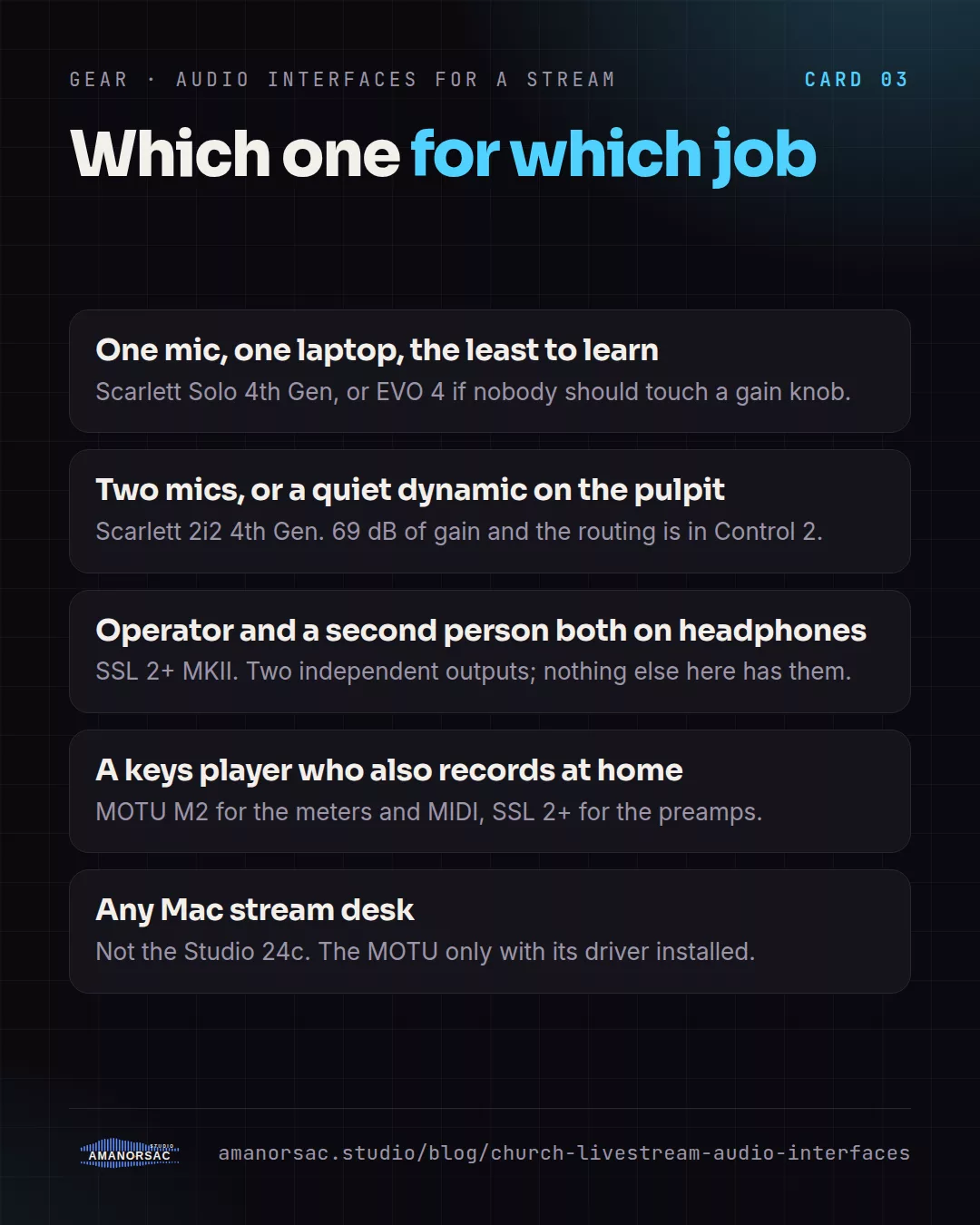
- One mic, one laptop, OBS, the least to learn: Scarlett Solo 4th Gen or EVO 4. The EVO's Smartgain means nobody touches a gain knob.
- Two mics, or a quiet dynamic mic on the pulpit: Scarlett 2i2 4th Gen. The gain is there and Control 2 does the routing.
- The operator and a second person both need headphones: SSL 2+ MKII, and nothing else here does it.
- A keys player who also records at home: MOTU M2 for the meters and the MIDI, or the SSL for the preamps.
- Any Mac stream desk: not the Studio 24c, and the MOTU only with its driver installed.
Two Windows things that are not the interface's fault
If the sound vanishes when you switch between OBS and your DAW, open Windows sound settings for the device and untick "Allow applications to take exclusive control". And if Zoom or OBS only shows your first input, that is the app taking one stereo pair, not the interface; Focusrite has a routing article for it and the same idea applies to the others.
If the stream desk also runs the room mix in a DAW, the cleanest way to feed the stream computer is still to take the mix inside the DAW. That is what SecondOut does, and it works with every interface on this list.
Specs were read from Focusrite, MOTU, Audient, PreSonus, Solid State Logic and Universal Audio's own product pages and user guides in October 2026. Makers change specs; if you spot a change, write to me and I will fix it.
Written by Stephen Amanor Sackey — producer, mix engineer and music director, Virginia. More about the studio.